Need help?
Do you have a question about the MiiS Horus Scop DSC 300 and is the answer not in the manual?
Initial checks and safety guidelines before operating the Horus Scope.
Specifies the intended users and purpose of the device.
Lists conditions or patient types for whom the device should not be used.
Instructions on how to handle the camera to prevent damage and ensure proper function.
Procedures for calibrating focus for specific models (DEC 200, DEA 200).
Advice on handling condensation on the lens or monitor.
Guidelines for safe operation to protect the patient's eyes during examination.
Important precautions and notes to follow while operating the device.
Instructions and notes related to charging the device's battery.
Warning about the potential hazards of optical radiation emitted by the instrument.
Describes the specific applications for DEC 200, DEA 200, and DGC 200 models.
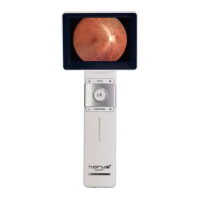
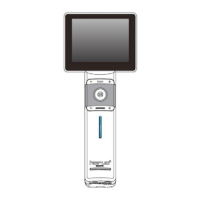
Detailed breakdown of the control unit's top and front views.
Instruction to charge the battery before initial operation.
Step-by-step guide for replacing the device's battery.
Instructions on how to power on the device.
Steps to access and navigate the setup menu.
How to close the setup menu after making adjustments.
Basic Wi-Fi settings including on/off and mode selection.
Steps to connect DSC 300 directly to a PC via Wi-Fi.
Steps to connect to the internet via an Access Point.
How to upload data to a website using AP mode.
Connecting to DIB 100 and transferring images.
Steps to create a new patient ID when DICOM is off.
Steps to create a new patient ID when DICOM is on.
How to create a new patient ID based on an existing one.
Explains the naming convention for image files.
Explains the symbols used in file naming and their meanings.
Step-by-step guide for capturing images with the DEC 200 model.
Step-by-step guide for capturing images with the DEA 200 model.
Step-by-step guide for capturing images with the DGC 200 model.
How to view captured photos and navigate through them.
How to zoom in and out on images during playback.
Instructions for setting up the chin rest accessory.
How to adjust the height of the chin rest and scope assembly.
How to transfer images to other electronic devices.
How to view images on a computer screen using UVC mode.
How to view images on a TV screen using HDMI.
Explains the interaction between UVC and HDMI modes.
Specifications for the MiiS Horus Scope DSC 300 control unit.
Technical specifications for the DEC 200 camera.
Technical specifications for the DEA 200 camera.
Technical specifications for the DGC 200 camera.
Explains the symbols used in the manual and their meanings.
Lists relevant electrical, EMC, ophthalmic, and radio compliance standards.
EMC compliance details including emissions and immunity declarations.
Technical specifications for testing RF immunity for wireless communications.
 General
| Frame Rate | 30fps |
|---|---|
| Resolution | 1920x1080 (Full HD) |
| Interface | HDMI, USB |
| Coating | Anti-reflective coating |
| Fogproof | Yes |

 To Next Page