2121 Blount Road Pompano Beach, FL 33069 MileMarker.com 1.800.886.8647PAGE 2
INSTALLATION: PLUG N PLAY
If your Mile Marker winch features the IP67 waterproof connection, then simply plug the control box into your solenoid box just as you would
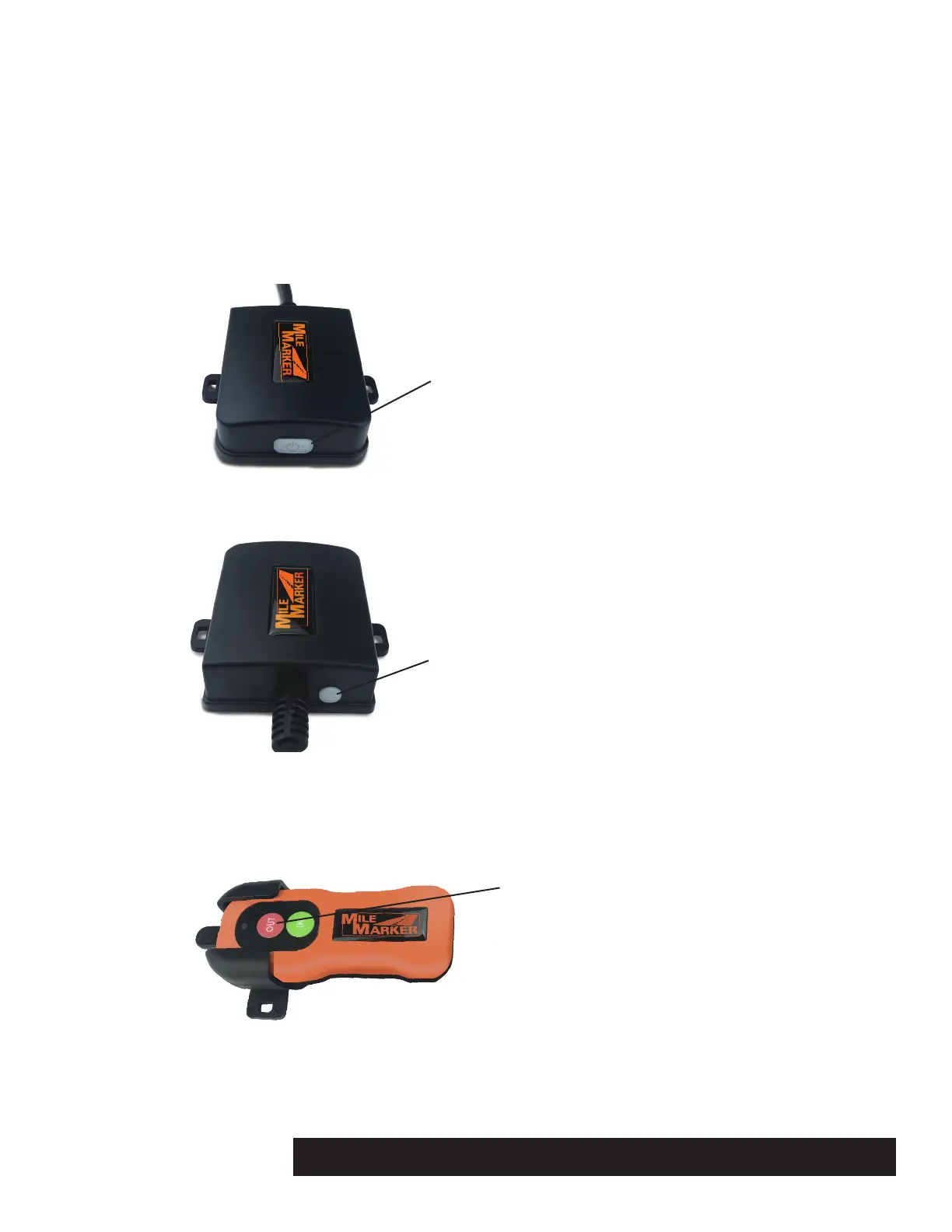
your wired remote control. The wireless receiver has an oblong button for power, and once “ON” (indicated by a RED light), the unit is ready
for use.
PAIRING YOUR WIRELESS REMOTE TO THE CONTROL BOX
Your new Mile Marker Plug N Play wireless winch remote control has already been paired with your control box at the factory. However, if your
wireless remote control loses its signal to the control box, or you want to pair additional remotes (up to five), follow the instructions below to
pair.
Press the white oblong button on the front of the control box.
The button will turn red.
Press the round receiver button on the back of the control box (next to the cable).
The button will turn red.
On your wir
eless remote control, press and hold the OUT button only (usually one to three seconds). The round button
on the back of the control box will start to flash.
Shortly thereafter your winch will start to winch out, release the OUT button. Your remote control is now paired to the
receiver.
To prevent cross contamination with other wireless devices, the round receiver button will only be
active for approximately 5 seconds. Have your wireless remote control ready prior to pushing the round receiver
button. In the event the remote control did not pair, repeat steps 2 and 3. Charge your wireless remote control prior to
this operation. Refer to reverse side for charging instructions.
STEP 2
STEP 3
NOTES
STEP 1
oblong receiver button
round receiver button
OUT button


 To Next Page
 Loading...