In screen of Personal setting-> Offset,
press or move the cursor to select the digit of data, and press or to
increase or reduce the value, press to save and return to previous interface, or
press cancel the modification and return to the previous data.
An offset adds or subtracts a specified value automatically to or from all measurements.
2) Brightness
In screen of Personal setting-> Brightness,
The brightness of screen could be adjusted in 5 levels by pressing or to be lighter
or darker.
3) Time Format
In screen of Personal setting-> time format
Three kinds of time format could be selected by pressing or , .
press to save and return to upper interface, or press cancel the modification
and return to the previous data.
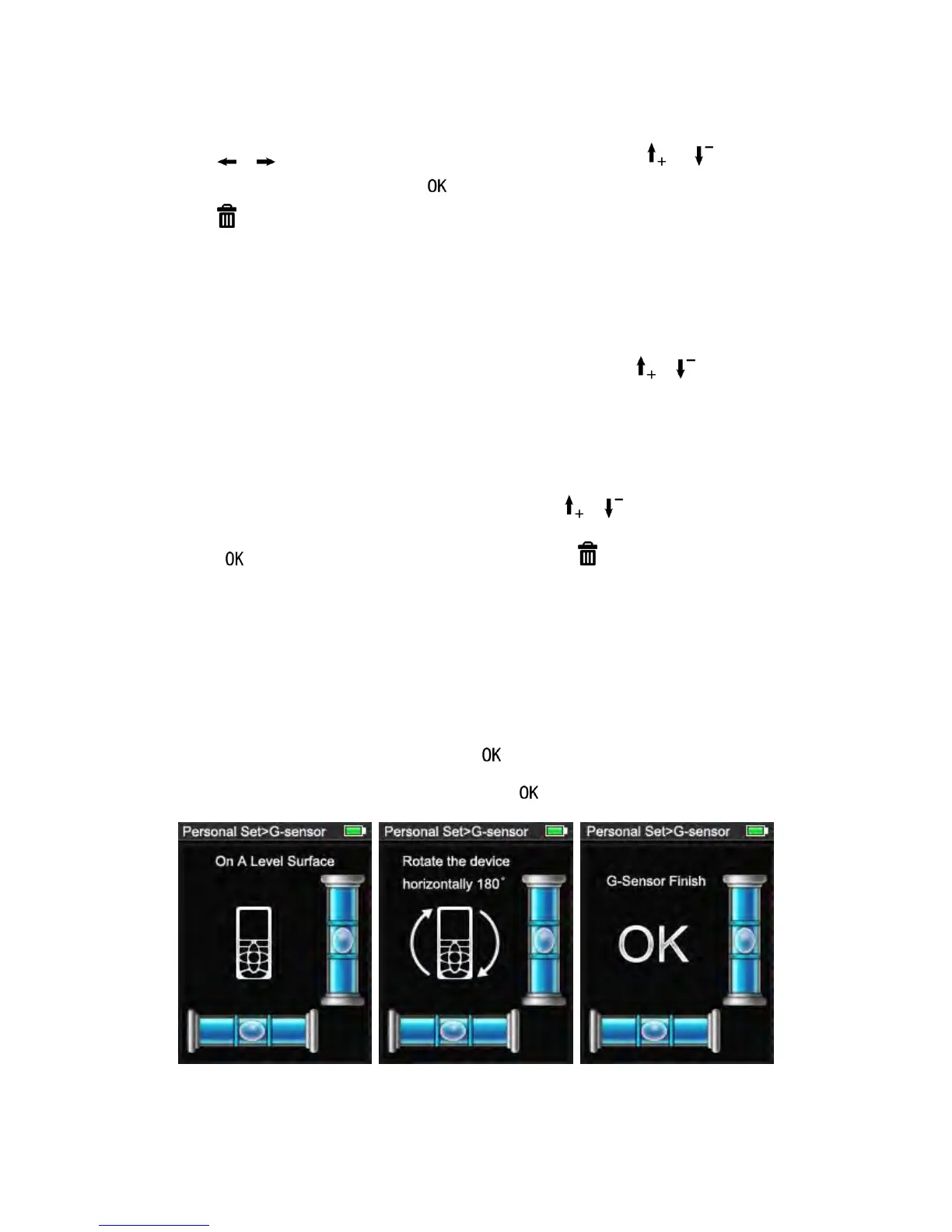
4) G-Sensor
In screen of Personal setting-> G-Sensor
You can calibrate the tilt sensor in the device. Calibration requires two measurements on a
level surface.
Put on the device on the level surface, press
Rotate the device horizontally through 180°, press , The tilt sensor is calibrated.
5) Language


 To Next Page