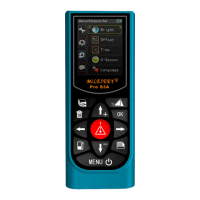
In screen of Personal setting-> Language
Press or to select the language, press to save and return to upper interface,
or press cancel the modification and return to the previous language. English is
default language.
10.3 Set
1) Measurement Unit
In screen of Setting-> Measurement unit
4 type of units can be selected as Meter, Feet, Inch, Feet&Inch.
Press or to select the unit; press to save and return to upper interface, or
press cancel the modification and return to the previous data.
2) Angle Unit
In screen of Setting-> Angle Unit
Two kinds of angel unit available +/- 0.0° or 0.00%
Press or to select the unit; press to save and return to upper interface, or
press cancel the modification and return to the previous data.
3) Beep
In screen of Setting-> Beep,
Press or to select ON or OFF the beep, press to save and return to upper
interface, or press cancel the modification and return to the previous data.
4) Time Set
In screen of Setting-> Time set
press or move the cursor to select the digit of data, and press or to
increase or reduce the value, press to save and return to upper interface, or press
cancel the modification and return the previous data.
5) Bubble
In screen of Setting-> Bubble
Press or to select ON or OFF the bubble which is display in the status filed in the
screen, press to save and return to upper interface, or press cancel the


 To Next Page
 Loading...