record.
.
10. System settings:
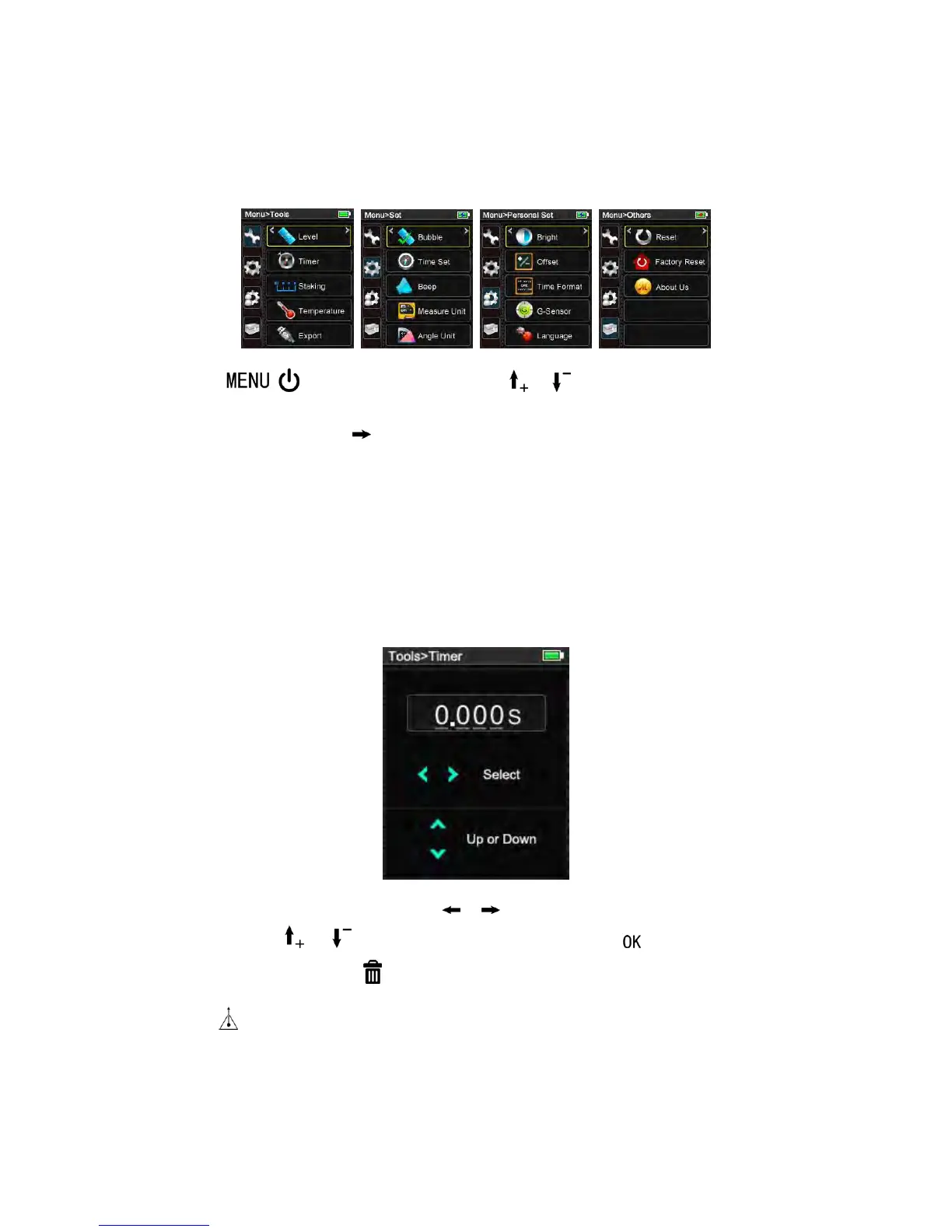
Press enter main screen, press or to move up and down find
out setting type, press to be next sub-setting function.
Five kinds of funcitons proivded, Tools, Personal Set ,Set, others which will be
addressed below,
10.1 Tools
1) Timer
In screen of Tools-> Timer,
The unit of delay time is second, press or move the cursor to select the digit of
data, and press or to increase or reduce the value, press to save and return
to upper interface, or press cancel the modification and return to the previous data.
Press to call up the function, the remaining seconds until measurement (e.g. 10, 9,
8...) are displayed in a countdown. The last 5 seconds are counted down with a beep.
After the last beep the measurement is taken and the value is displayed.
2) Staking Out


 To Next Page