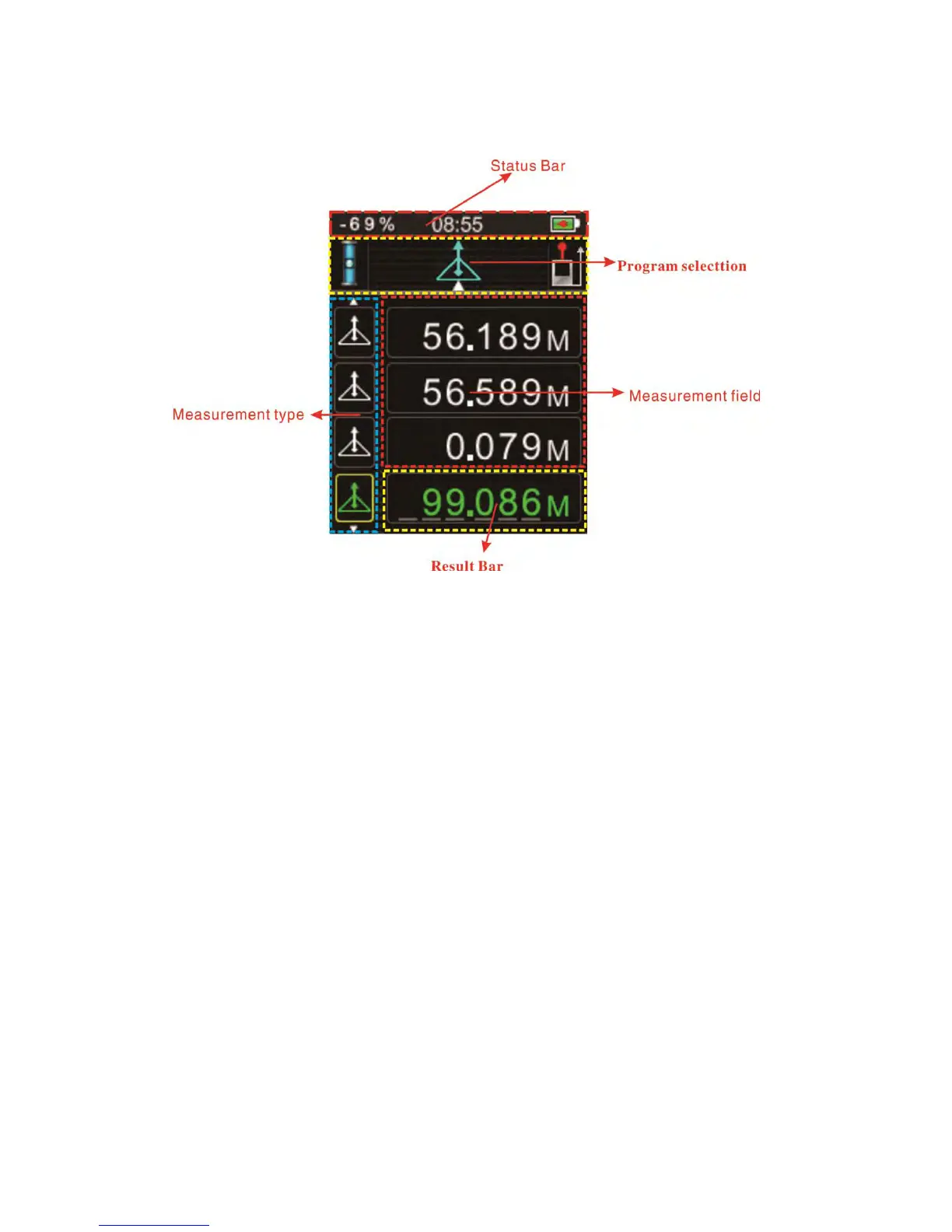
4. Display screen general view
The graphics screen of the measurement window is split into different areas. Top second
screen is the measurement functional field, which contains the currently selected
measuring program. Just to the left/right appears the program submenu, which shows the
measuring programs that can be selected by pressing the same key the required number
of times. The measurement field contains the individual measurements of the measuring
program with reference to a series of separate distance measurements. Three lines are
provided for last measurement data. A horizontal line separates the measurement field
and the result bar from one another.
1 Status bar with (time, battery status, bubble)
2 Program selection with measurement instructions
3. Status of measurement, (Reference, laser on)
3 Measurement field
4 Result bar
5 Measurement type


 To Next Page