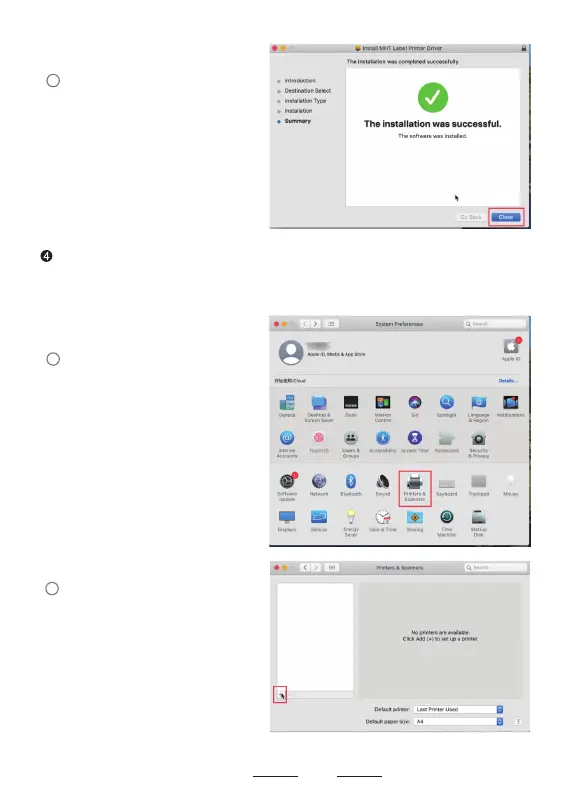
At this step, the driver has been installed correctly, then we add the printer to
the computer. Open “printers & scanners”, Add a Milestone MHT-L1081 Thermal
Label Printer.
12
The driver has been installed
please close the interface.
successfully,
Click Printer & Scanners.
Click"+" to add a Printer.
4
1
2


 To Next Page