13
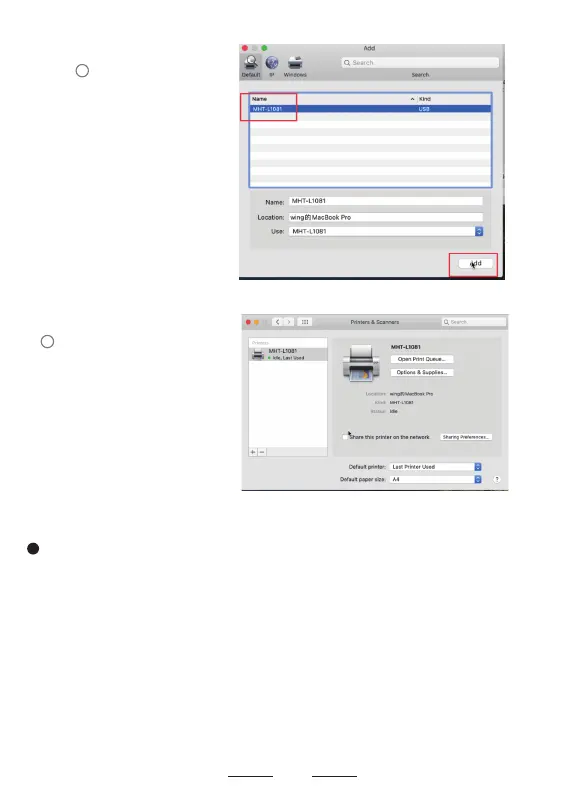
Select the Printer
Model MHT-L1081.
OK, the printer has been
installed successfully.
3
4
At this step, you have fully installed the printer, then please open the document
and try to print a test. Please use 4x6 labels and open the test document
"USPS Test1.pdf" attached to the USB flash drive. Please select 4x6" or 100*150mm
for the print preview paper size. (Attention, if you encounter unable to print, please
turn off the printer power and restart the printer)
5


 To Next Page