7
EN
Instructions electronic thermostat
Please see table on page 4 for which models that have electronic thermostats
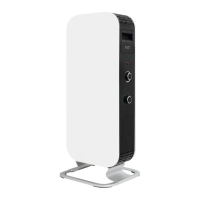
Control panel
See figure 5 on separate illustration sheet
1. Display (shows the desired room temperature by default)
2. Power indicator - shows whether the heater is using power or not
3. Control button ( +) (increase temperature)
4. Control button (-) (reduce temperature)
5. Function button
ATTENTION! After a power cut the thermostat will return to the last registered
temperature
WARNING! BEFORE THE HEATER IS TURNED ON, IT MUST BE ATTACHED TO A WALL.
IF THE HEATER IS NOT INSTALLED CORRECTLY OR IS INSTALLED ASKEW, THIS MAY
CAUSE THE HEATER TO MALFUNCTION OR IN THE WORST CASE, BE DAMAGED.
If the temperature sensor is not functioning properly, you will see this symbol on the
display. Please contact the dealer or importer.
Power indicator for electronic thermostat
See figure 6 on separate illustration sheet
When the panel heater is using power (i.e. when it is heating), the power indicator is lit ϟ
Set desired temperature for electronic thermostat
See figure 7 on separate illustration sheet
Press the arrow buttons to set the desired temperature.
Instructions day/night thermostat
Please see table on page 4 for which models that have day- and night thermostats.
TIP! The thermostat can be used as a regular electronic thermostat (i.e. the heater will
maintain a constant temperature 24 hours a day). Please see the section instructions elec-
tronic thermostat for further information.



 To Next Page