9
EN
NOTE! The Filter change status symbol is always visible (when the display is lit) It
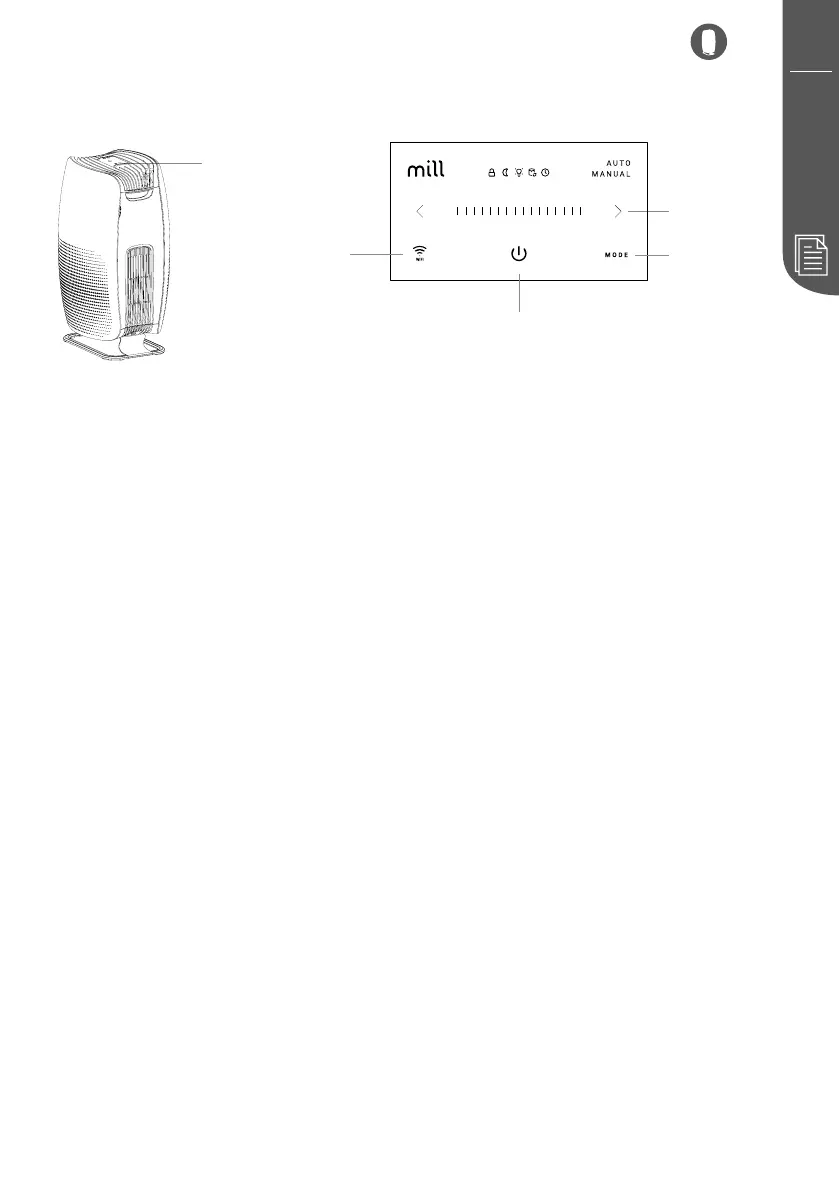
Power ON/OFF
Short press the power button to turn on or off the device
Mode
Short press the mode button to switch between auto mode or manual mode
Fan levels
Short press left or right arrow to adjust
Enter/Exit change brightness mode
>= higher the brightness
<= lower the brightness
Enter/Exit child lock
Enter Boost mode
Press right arrow for 3 seconds. Please note that short press can also enter Boost mode
when based on level 8.
Enter Sleep mode
Short press right arrow exit sleep mode.
Enter hard off mode
Soft reset
Press WiFi button for 5 seconds. Count down and then release once 5 seconds or more
Hard reset
• Turn off device
• Turn device on
Touch display
before use
WiFi button
Power button
Mode button
Fan levels



 To Next Page