EasyManua.ls Logo

Millenium Technologies MILLENNIUM 2.4.6 - User Manual

Millenium Technologies MILLENNIUM 2.4.6
20 pages
Print Icon
To Next Page IconTo Next Page
Loading...
Millennium 2.4.6
DTS Decoder/Preamp
Operations Guide
Millennium Technologies
Incline Village, NV 89452-8359
Toll Free Phone Number (888) 551 - 6789
Toll Free FAX Number (888) 515 - 3456
Tech Support: (541) 683-8686 M-F 9AM - 5PM Pacific Time
E-Mail:service@5point1.com
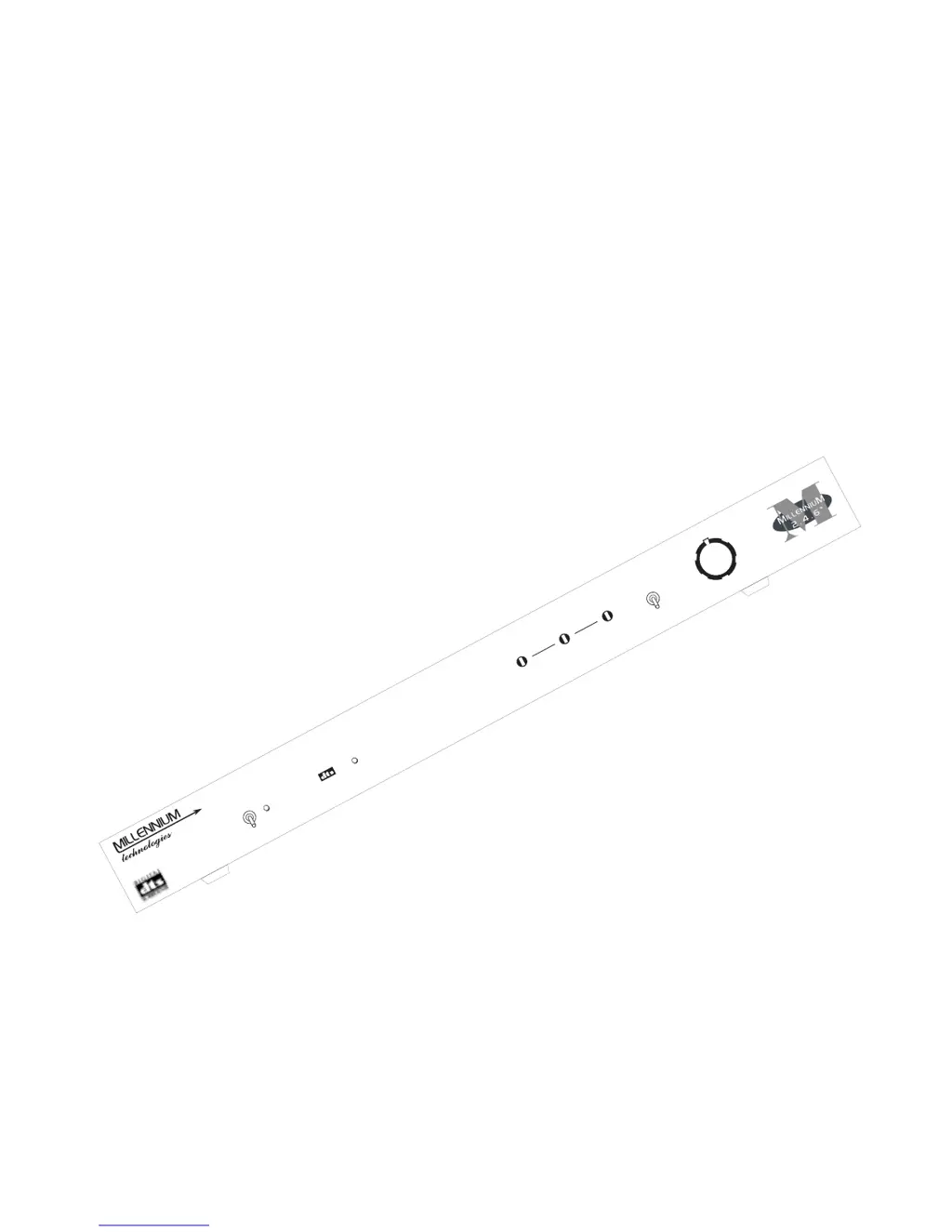
POWER LOCK
TRIM
SURROUNDS CENTER LFE
AUTO
+
-
-
MANUAL
MASTER

Questions and Answers

  • G
    Gabriel PalmerAug 15, 2025
    What to do if there is no sound from my Millenium Technologies Amplifier?
    • D
      David Gallegos MDAug 15, 2025
      If you are experiencing no sound from your Millenium Technologies Amplifier, first, ensure that the MASTER control is not turned down; if it is, turn it clockwise. Also, if the unit is running in AUTO mode, switch to MANUAL mode. If you then get sound, check the interconnect cable connections to the FRONT inputs. In AUTO mode, the R FRONT input must have a volume-controlled audible DTS datastream sound. Any player with a built-in digital volume control must be in the neutral/no effect position. Make sure the digital output from the DTS source is connected to the coax or optical input of the unit. Select the '5-ch discrete input' or equivalent on the amplifier or receiver. Check all interconnect cable connections.
  • W
    walkerjenniferAug 18, 2025
    Why is there a loud hiss coming from the speakers connected to my Millenium Technologies Amplifier?
    • M
      Mary EsparzaAug 18, 2025
      If your Millenium Technologies Amplifier produces a loud hiss from the speakers, ensure the unit is switched on. Verify that a DTS digital source is correctly plugged into the coaxial or optical digital input of the unit. Also, make sure you've selected the '5-ch discrete input' (or equivalent) mode on the receiver or preamp.
  • C
    Cynthia TaylorAug 21, 2025
    How to fix intermittent operation on a Millenium Technologies Amplifier?
    • K
      Kayla ZamoraAug 21, 2025
      If you are experiencing intermittent operation with your Millenium Technologies Amplifier, check that all connections are secure and replace any defective cables. Cover the optical digital input if it is not in use, especially if random light is incident on it. If you are using a disc, replace it in case it is damaged.
  • A
    Amanda HenryAug 25, 2025
    Why do I hear a hum from the speakers connected to my Millenium Technologies Amplifier?
    • P
      Patrick DavisAug 26, 2025
      If you hear hum from the speakers connected to your Millenium Technologies Amplifier, ensure all interconnect cables are firmly in place and disconnect any unnecessary connections. If the problem continues, try replacing the cables, adding isolation transformer(s), or adding ground straps between components.
  • D
    Destiny LawsonAug 27, 2025
    How to increase the sound output from surround or center channels on a Millenium Technologies Amplifier?
    • E
      Edward Brady Jr.Aug 27, 2025
      If the sound output from the surround or center channels of your Millenium Technologies Amplifier is lower than other speakers, turn the surround or center trim clockwise to adjust the levels to your preference.
  • K
    krayAug 30, 2025
    What to do if there is no sound from the subwoofer connected to my Millenium Technologies Amplifier?
    • J
      John JordanAug 31, 2025
      If you are getting no sound from the subwoofer connected to your Millenium Technologies Amplifier, switch rear panel configuration #3 to the up position to turn on sub output.
  • E
    Eric JonesSep 2, 2025
    How to enable surround sound output on a Millenium Technologies Amplifier?
    • P
      Paul SnyderSep 3, 2025
      If you're not getting any sound from the surround speakers connected to your Millenium Technologies Amplifier, switch the rear panel configuration switch #1 to the up position to turn on surround output.
  • C
    cynthia86Sep 5, 2025
    How do I fix no sound from the center speaker on my Millenium Technologies Amplifier?
    • M
      Melissa WoodsSep 5, 2025
      If you are experiencing no sound from the center speaker connected to your Millenium Technologies Amplifier, switch the rear panel configuration switch #2 to the up position to turn on center output.
  • B
    Brandon JenningsSep 8, 2025
    What to do if my Millenium Technologies Amplifier doesn't turn on?
    • D
      Daryl TaylorSep 8, 2025
      If nothing lights up on your Millenium Technologies Amplifier when the power switch is in the up (on) position, firmly insert the power plug connector into the rear panel and ensure the transformer is firmly plugged into the wall outlet or power strip.
  • B
    burkealiciaSep 12, 2025
    How to stop my Millenium Technologies Amplifier from causing noise on my TV?
    • C
      Cody BrownSep 12, 2025
      If your Millenium Technologies Amplifier is causing noise on a nearby television or tuner, move the unit farther from the affected equipment.

Summary

Millennium 2.4.6 Features

Stand Alone DTS Decoder; Preamp

Unit functions as a standalone DTS decoder and preamp, connecting digital output to analog input.

Automatic and Manual Modes of Operation

Offers automatic mode for volume matching and manual mode for direct control.

Individual Trim Adjustments

Provides ±15dB trim adjustments for center, sub, and surround channels.

Manual Mode Installation: Stand Alone with Two Sources

Auto Mode Installation: Multi-channel Receiver

Auto Mode Installation: Multi-channel Preamp

Auto Mode Installation: Dedicated DAC

Manual Mode Installation: 5.1 Ready Receiver

Manual Mode Installation: Add-on 5.1 Ready Receiver

Down Mix Configuration Options

Setting Audio Levels: Manual Mode

Setting Audio Levels: Automatic Mode

Playing DTS Encoded Material

Troubleshooting Common Issues

Millenium Technologies MILLENNIUM 2.4.6 Specifications

Power IconPower
power requirement12V, 800mA
power connector5.5 x 2.1mm center positive “barrel” connector
power fusingAutomatically resetting circuit protector
Audio Specifications IconAudio Specifications
frequency range10Hz to 20KHz
frequency response± 0dB 10Hz to 20Khz
signal to noise ratio110dB
Weight and Dimensions IconWeight and Dimensions
dimensions17” W x 6.5” D x 2” H
weight6.8 lbs