6 Operating
6.1 Functions
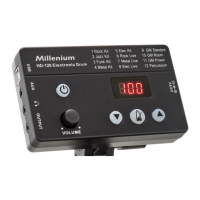
Check all cable connections for correct t before turning on
Before switching on, turn the [VOLUME] control to minimum.
Press to turn the drum module on. Press and hold to turn the drum module o.
To adjust the volume, hit a pad and at the same time adjust the volume of the drum module
with the [VOLUME] control.
To display the system information, press and hold for 3 seconds with the device switched
on. The current software version is displayed.
To reset the drum module to factory settings, turn it o rst. Press and hold and simulta‐
neously. The display shows ‘CLr’ . The drum module is reset to factory default settings.
Turning on / o
Adjusting the volume
Software version
Reset to factory defaults
Operating
18
HD-120
E-Drum Module


 To Next Page