6.5 Adjusting the pedals
Temperature uctuations or humidity can alter the sensitivity of the pedals. To reset the sensi‐
tivity of the pedals to factory defaults:
1.
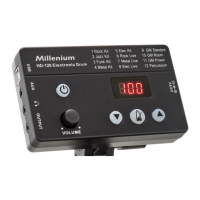
While the drum module is switched o, simultaneously press and hold and .
ð
The display shows ‘bdF’ .
2. Step on the bass drum pedal and hold the pedal in this position.
ð
ashes green and orange during bass drum pedal setup.
3.
When stops ashing, the bass drum pedal setup is nished. Now release the bass
drum pedal.
ð
The display shows ‘HHF’ .
4. Step on the Hi-hat pedal and hold the pedal in this position.
ð
ashes green and orange during Hi-hat pedal setup.
5.
lights red, the Hi-hat pedal setup is nished. Now release the Hi-hat pedal.
ð
Pedal adjustment is complete.
Operating
HD-120
23
E-Drum Module


 To Next Page