6
At the same time, the status LED on the housing is lit up in
green.
Note: If the Bluetooth icon is lit up in red, it was not possible
to establish a connection to the receiver. Repeat the procedure
until a connection has been established.
You can now use Chess for Android and deploy various chess
engines – and easily and conveniently play on your
ChessGenius Exclusive board.
3.4 Connecting to iOS devices
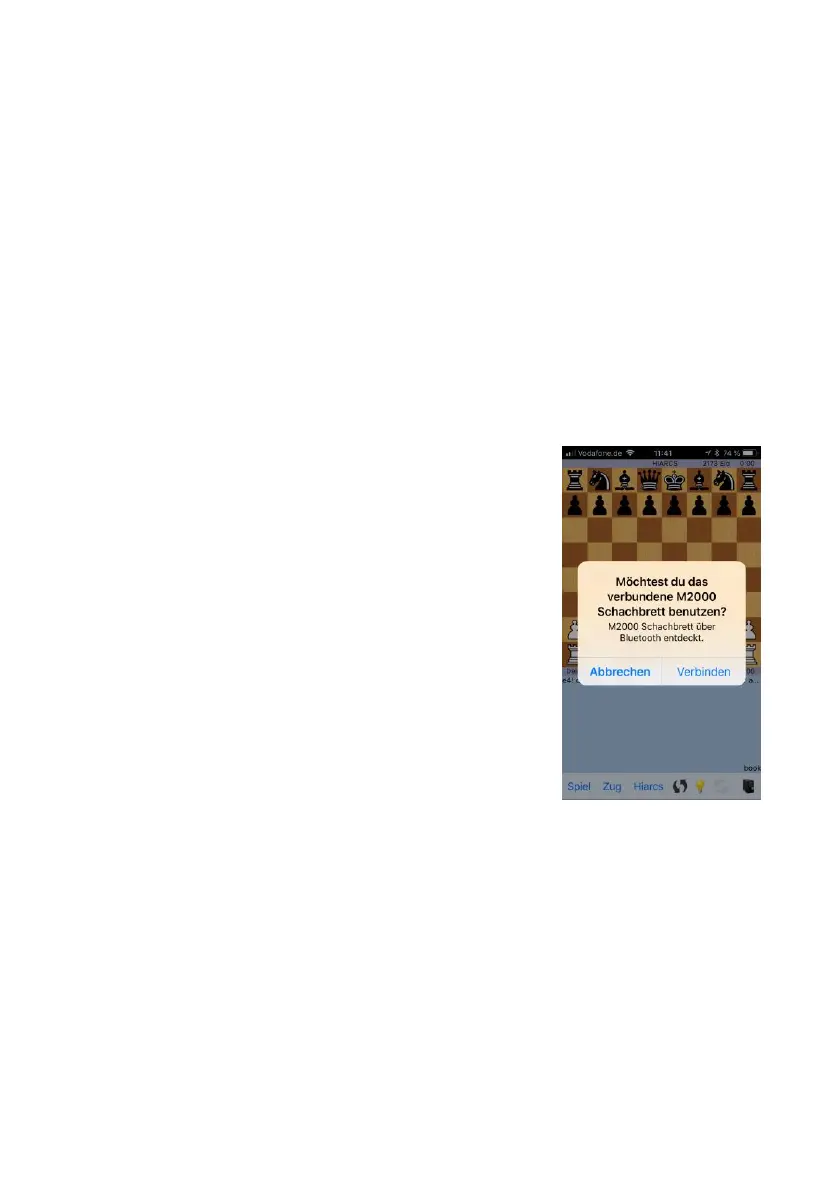
From the App Store, download the app
‘HIARCS CHESS’ to your iPhone or iPad.
Please note: These are two different
apps, which are not compatible with each
other.
If you have already installed a HIARCS
CHESS app on your device, the update is
free of charge for you.
Open the app and press ‘Connect’.
The green status LED on the device
should now be lit up.
You can now take advantage of the wide
range of configuration options that HIARCS CHESS offers, and
easily and conveniently play on your ChessGenius Exclusive
board.
3.5 Connecting to a PC
Connect the ChessLink to your PC using a USB cable (not
included). Then follow the instructions contained in the
manual for the respective chess program.


 To Next Page