5
3.3 Connecting to Android devices
From your Play Store, download the
app ‘Chess for Android’ to your
smartphone or tablet.
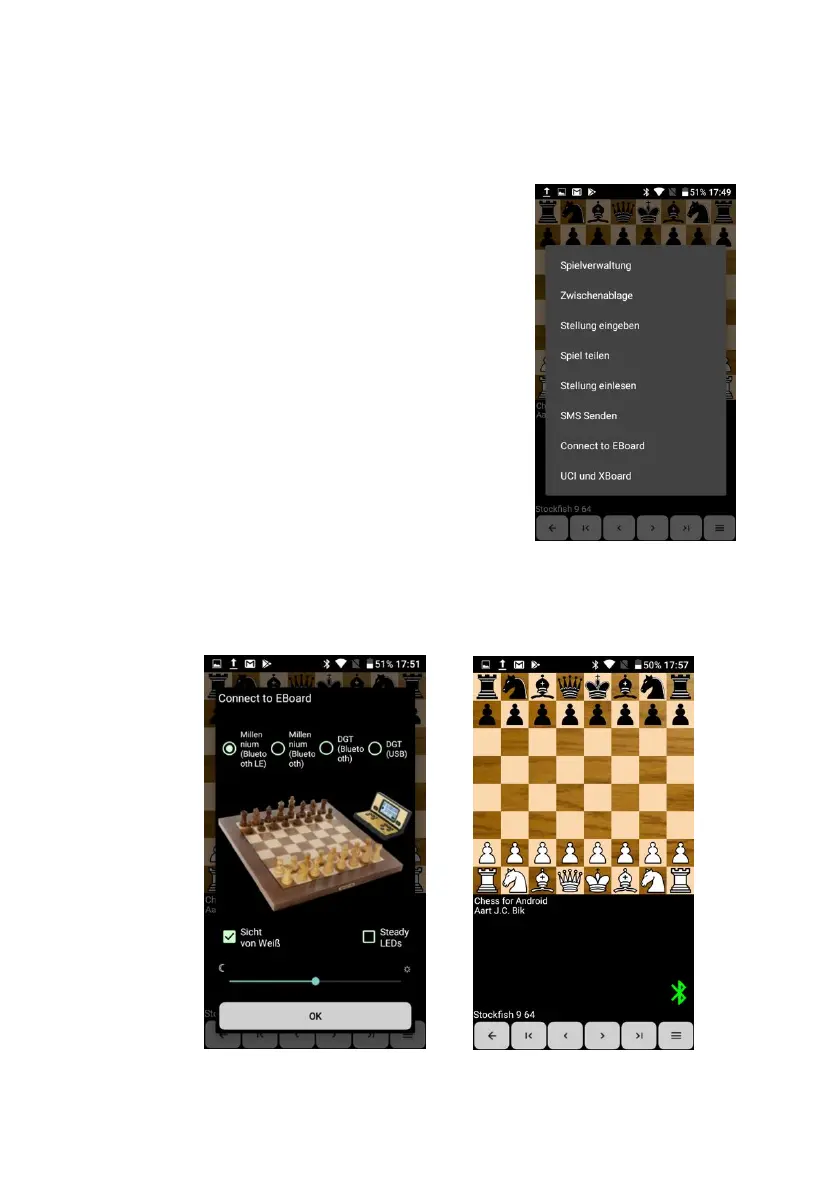
Press on the area beneath the
chessboard. The menu then appears
(see fig right).
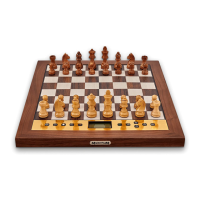
Press ‘Connect to EBoard’.
On devices with Bluetooth 5, press
‘Millennium (Bluetooth)’. On newer
devices, press ‘Millennium (Bluetooth
LE)’ instead.
Press ‘OK’.
As soon as a grey bar appears in the
display, press ‘Millennium Chess’.
As soon as the connection has been established, a green
Bluetooth icon appears at the bottom right of the display.


 To Next Page