EasyManua.ls Logo

Miller MR-5/PULSTAR 450 - User Manual

Miller MR-5/PULSTAR 450
41 pages
Print Icon
To Next Page IconTo Next Page
Loading...
-~
-,.
-,
EfiE?:t~vi~
~
ih
Serial
NO.
J
113Er)904
MODEL
MR-5/PULSTAR
450®
COMPUTER INTERFACE
GAS/CURRENT
SENSING
CONTROL
OWNER’S
MANUAL
IMPORTANT:
Read and
understand
the entire
contents
of
both
this
Miller
Electric
Mfg.
Co.
manual
and
the power
source
manual
used
with
this
unit,
with
special
~
emphasis
on
the
safety
material
throughout
both
manuals,
before
in- ~a.
Box
1079
stalling,operating,
or
maintaining
this
equipment.
This
unit
and
these
Appleton,
WI
54912
USA
instructions
are
for
use
only
by
persons
trained
and
experienced
in
the
Tel.
414-734-9821
safe
operation
of
welding
equipment.
Do
not
allow
untrained
persons
to
install,
operate,
or
maintain
this
unit.
Contact
your
distributor
if you do
not
fully
understand
these
instructions.
Miller®
PRINTED
IN
U.S.A.
ADDITIONAL
COPY PRICE
95 CENTS
Question and Answer IconNeed help?

Do you have a question about the Miller MR-5/PULSTAR 450 and is the answer not in the manual?

Summary

ERRATA SHEET

AMENDMENT TO SECTION 2 - INSTALLATION

Updates to installation instructions in Section 2.

AMENDMENT TO SECTION 5 - MAINTENANCE & TROUBLESHOOTING

Updates to maintenance and troubleshooting sections.

LIMITED WARRANTY

SECTION 1 - INTRODUCTION

General Information and Safety

Overview of manual content and general safety precautions.

Receiving and Handling

Instructions for receiving, inspecting, and handling the equipment.

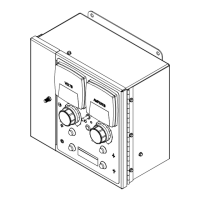
Description of the Control

Details the computer interface and gas/current sensing control functions.

SECTION 2 - INSTALLATION

Location and Mounting

Guidelines for selecting a suitable installation location.

Gas;Current Sensing Control Connections

Procedures for connecting the gas/current sensing control.

Computer Interface - Welding Power Source Connections

Steps for connecting the computer interface to the power source.

Computer Interface Welding Power Source Interface Connections

Details on interface connections to the power source.

Computer Interface Terminal Strip Connections

Details on making connections at the terminal strip.

SECTION 3 - FUNCTION OF CONTROLS

Power Switch and Overload Protection

Explains the power switch and fuse/breaker protection.

Peak Amperage Control

Describes the function and adjustment of the peak amperage control.

Meters and Indicator Lights

Explains the voltmeter, ammeter, wire speed meter, and indicator lights.

SECTION 4 - SEQUENCE OF OPERATION

Input Signal from Welding Power Source

Describes input signals from the power source and wire drive motor.

Output Signals from Computer Interface

Explains output signals regulating power source and wire feed.

Wire Stick Check Procedure

Details the wire stick check performed after welding.

SECTION 5 - MAINTENANCE & TROUBLESHOOTING

Inspection, Upkeep, and Overload Protection

Routine inspection, cleaning, and overload protection details.

Display Board PC4 Meter Check

Procedures to check meter power supply and input commands.

Board Replacement Procedures

Step-by-step guide for replacing circuit boards.

Troubleshooting Chart

Guide to diagnose and remedy common operational issues.

Use of Indicator Lights for Troubleshooting

How to use indicator lights for diagnosing problems.

PARTS LIST

Miller MR-5/PULSTAR 450 Specifications

General IconGeneral
BrandMiller
ModelMR-5/PULSTAR 450
CategoryRecording Equipment
LanguageEnglish

Related product manuals