EasyManua.ls Logo

Miller SubArc - User Manual

Miller SubArc
36 pages
Print Icon
To Next Page IconTo Next Page
Loading...
Processes
Description
OM-253893E 201702
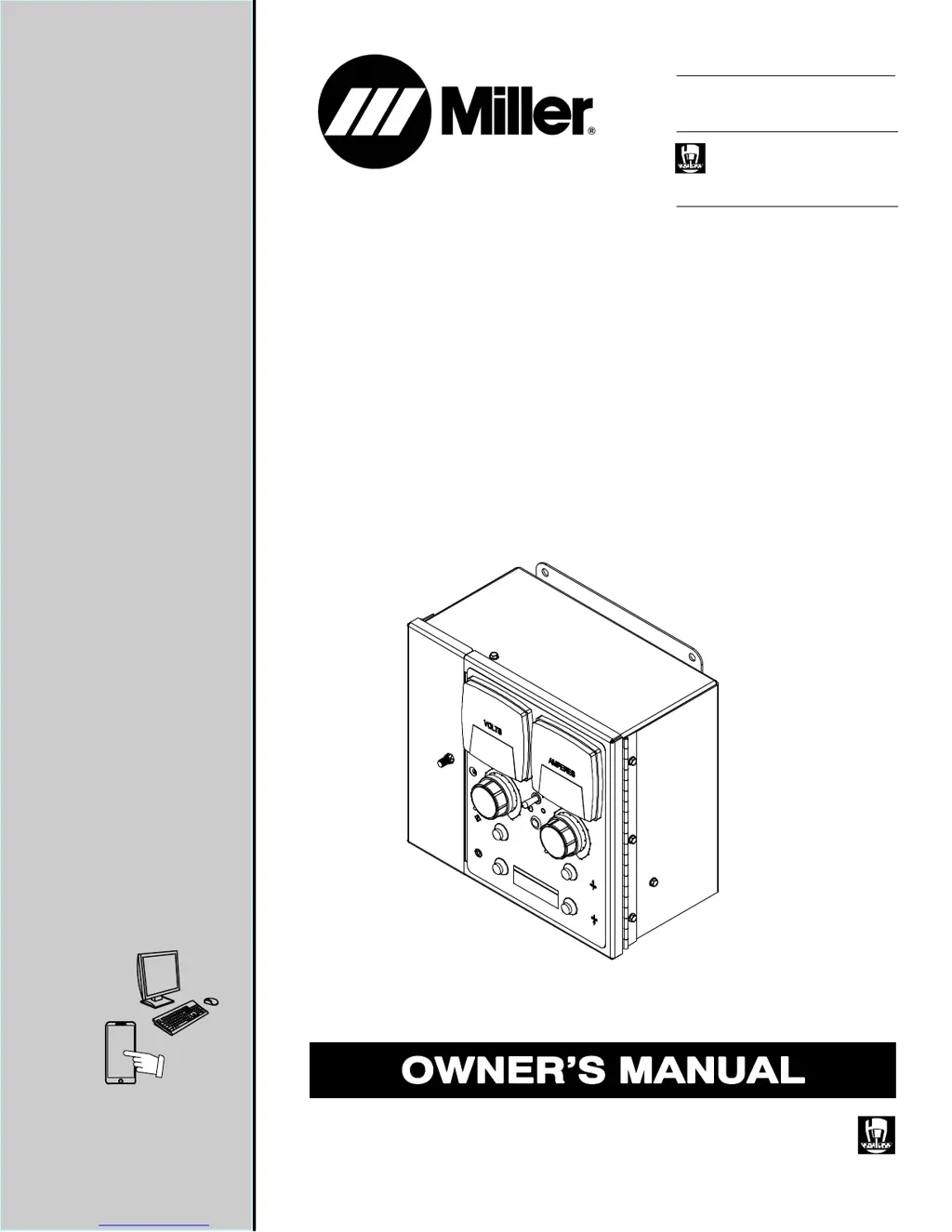
SubArc Interface Analog
Submerged Arc (SAW) Welding
Submerged Arc Controller For
Automatic Welding
File: SUBMERGED (SAW)
CE
For product information,
Owner’s Manual translations,
and more, visit
www.MillerWelds.com

Table of Contents

Questions and Answers

  • N
    Nicholas Steele MDJul 27, 2025
    What to do if Miller Recording Equipment has erratic weld and no control of output?
    • J
      Jason SmithJul 27, 2025
      If you're experiencing erratic welds and lack of output control with your Miller Recording Equipment, check the remote voltage sense lead polarity to ensure correct sense lead connections. Refer to the applicable power source Owner’s Manual for guidance.
  • A
    arthur65Jul 31, 2025
    What to do if wire does not feed during inching on Miller SubArc Recording Equipment?
    • C
      Christopher CastilloJul 31, 2025
      If the wire isn't feeding during inching on your Miller Recording Equipment, consider the following: 1. Ensure the Power Switch S1 is in the On position. 2. Check that the 24 volts AC input power is energized. 3. Increase the Jog Speed setting if the Jog Speed Control is set too low. 4. Inspect the wire feed motor; repair or replace it if needed. 5. Examine the Inch Up (PB3) and Inch Down (PB4) push buttons; replace if necessary. 6. If these steps don't resolve the issue, have a Factory Authorized Service Agent check and, if necessary, replace the control board PC1.
  • R
    Roy ScottAug 4, 2025
    Why is there no Crater mode on my Miller SubArc Recording Equipment?
    • R
      Robert DuffyAug 4, 2025
      If you're not getting Crater mode on your Miller Recording Equipment, make sure the Crater Output, Crater Speed, and Crater Time controls are not set to 0. Also, verify that the volt sense leads are properly connected.
  • J
    jorgewolfeAug 9, 2025
    What to do if wire does not feed after pressing Start button on Miller SubArc?
    • J
      Jared CooperAug 9, 2025
      If the wire doesn't feed after you press the Start button on your Miller Recording Equipment (assuming the wire feed inching functions are working), check the Start switch PB1 and replace it if necessary. Also, increase the run-in speed if the Run-In speed control is set too low.
  • T
    todd45Aug 13, 2025
    How to fix wire feeding wrong direction during inching on Miller SubArc?
    • C
      christophermillerAug 13, 2025
      To change the direction of the wire feed during inching on your Miller Recording Equipment, flip the motor direction switch.
  • S
    sarahedwardsAug 17, 2025
    What to do if Miller Recording Equipment has no wire feed speed control during welding?
    • M
      mark75Aug 17, 2025
      If you have no wire feed speed control with the Wire Speed control during welding on your Miller Recording Equipment, but speed can be controlled with the Run-In speed control, check the Output controls R9 and R10, and replace them if necessary. If the issue persists, have a Factory Authorized Service Agent check and, if needed, replace the control board PC1.
  • C
    cmillerAug 21, 2025
    What to do if wire only feeds down whether Inch Down or Up button is pressed on Miller SubArc Recording Equipment?
    • J
      jadamsAug 22, 2025
      If the wire only feeds down regardless of whether you press the Inch Down or Inch Up button on your Miller Recording Equipment, have a Factory Authorized Service Agent check and, if necessary, replace the control board PC1.

Summary

Safety Precautions - Read Before Using

Symbol Usage

Explains symbols used in the manual to indicate potential hazards and instructions.

Arc Welding Hazards

Details potential hazards associated with arc welding processes and equipment.

Definitions

Additional Safety Symbols and Definitions

Explains additional safety symbols and their meanings, some specific to CE products.

Specifications

Serial Number and Rating Label Location

Details where to find serial number and rating information on the controller.

Product Specifications

Lists technical specifications including power input, dimensions, weight, and capacity.

Dimensions and Mounting Hole Layout

Provides physical dimensions and mounting hole patterns for the controller unit.

Connections

Left Side Panel Connections

Identifies and describes receptacles and their functions on the left side panel.

Receptacle RC1 Information

Details socket functions and contact information for RC1 connections.

Receptacle RC3 Information

Outlines socket functions for flux hopper hookups on RC3 connections.

Terminal Block TB1 and TB2 Connections Diagram

Illustrates the physical layout and wiring points for terminal blocks TB1 and TB2.

Terminal Block TB1 Connection Information

Explains the function of each terminal on Terminal Block TB1.

Terminal Block TB2 Connection Information

Details the function of each terminal on Terminal Block TB2.

SubArc Interface Analog Plug Connections

Shows the physical connections and cable routing for the SubArc interface analog unit.

Operation

Front Panel Controls

Describes the functions of the controls and indicators located on the front panel of the unit.

Maintenance and Troubleshooting

Routine Maintenance

Outlines recommended maintenance tasks and their frequency for the SubArc Interface Analog.

System Help Codes

Lists error codes, their descriptions, and potential causes or remedies for the SubArc system.

Status;Trouble Light

Explains the function of the Status/Trouble Light and its behavior under different conditions.

Troubleshooting Table

Provides a table of common troubles, their possible causes, and recommended remedies.

Electrical Diagram

Parts List

Main Assembly Parts

Lists and identifies the individual parts and their quantities for the main assembly.

Warranty Information

For Service

Provides contact information for distributors and service agencies for support and repairs.

Miller SubArc Specifications

General IconGeneral
BrandMiller
ModelSubArc
CategoryRecording Equipment
LanguageEnglish

Related product manuals