OM-253893 Page 16
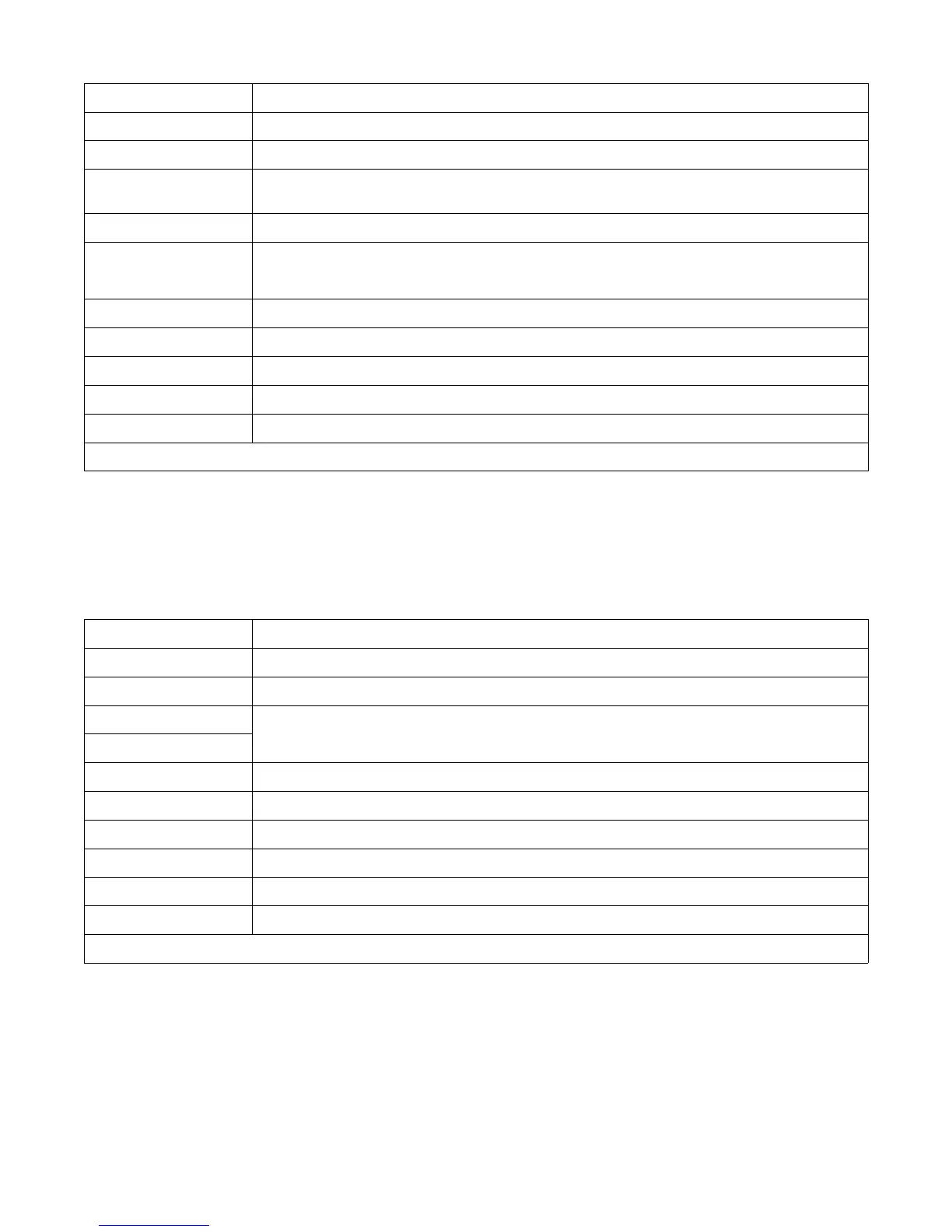
5-6. Terminal Block TB1 Connection Information For SubArc Interface Analog
Terminal Function Information
Blank Not used.
Blank Not used.
SB1 Normally open set of contacts* that defaults close when power source contactor energizes after the start button
is pressed and preflux has timed out.
Relay 1 Common Common used with Relay 1.
SB2 Normally open set of contacts* that close when an arc is established. These contacts are used when you want
the side beam to start moving once an arc has been established. Contacts open again when the stop button is
pressed.
Relay 2 Common Common used with Relay 2.
Remote UP When connected to Common (on TB2), jogs wire up.
Remote Down When connected to Common (on TB2), jogs wire down.
Remote Program Select 1 Only used with SubArc Interface Digital.
Remote Program Select 2 Only used with SubArc Interface Digital.
*All contacts are rated 10 amperes, 125 volts AC.
5-7. Terminal Block TB2 Connection Information For SubArc Interface Analog
Terminals Function Information
Blank Not used.
Blank Not used.
+24 Volts Hot
Supply power to a tractor.
24 Volts AC neutral
VFB Voltage feedback 1V/10V
IFB Current feedback 1V/100A
Coolant Flow* Connect to coolant flow sensor. Coolant flow is detected when this pin is tied to Common.
Common External common.
Remote Start Starts the weld cycle when connected to Common
Remote Stop Stops the weld cycle when connected to Common.
* The coolant flow sensor feature is only active when a Strip Drive 100 motor assembly is connected to the interface.






 To Next Page