EasyManua.ls Logo

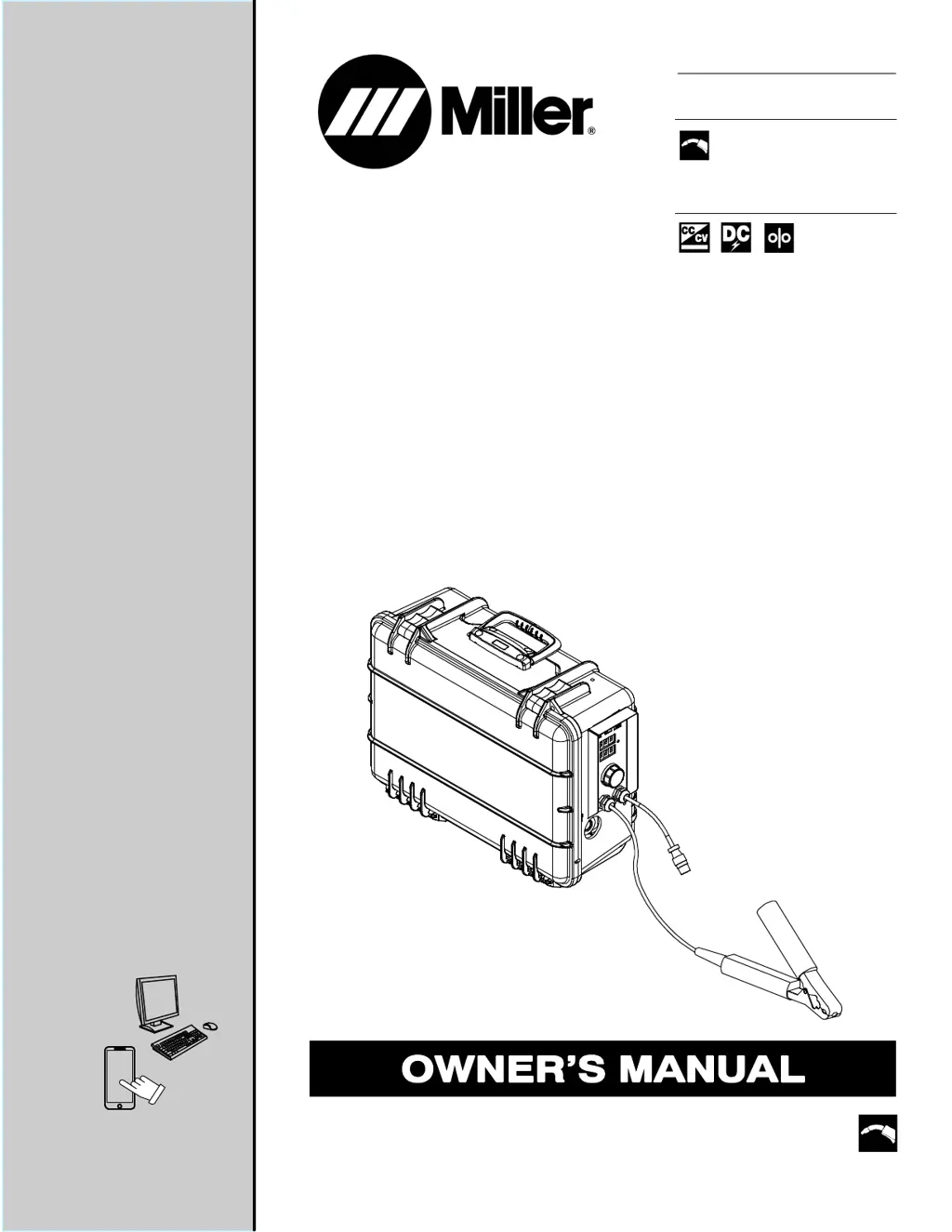
Miller SuitCase X-TREME 12VS - User Manual

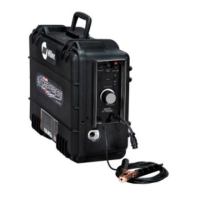
Miller SuitCase X-TREME 12VS
44 pages
Print Icon
To Next Page IconTo Next Page
Loading...
SuitCase
OM-252203P 2018−02
Processes
Description
MIG (GMAW) Welding
Flux Cored (FCAW) Welding
Wire Feeder
File: MIG (GMAW)
X-TREME 12VS
CE And Non-CE Models
For product information,
Owner’s Manual translations,
and more, visit
www.MillerWelds.com

Table of Contents

Questions and Answers

  • R
    Raymond ThompsonAug 19, 2025
    Why does the Miller Welding System wire feed erratically?
    • E
      elizabeth21Aug 19, 2025
      Erratic wire feeding in your Miller Welding System can stem from several issues. Try these solutions: * Readjust hub tension. * Readjust drive roll pressure. * Clean or replace a dirty or worn drive roll. * Remove weld spatter around the gun nozzle opening. * Replace the contact tip or liner. Refer to the gun Owner’s Manual for instructions. * Change to the correct size and type of drive roll. * Check that the DIP switches on the Motor Control Board (PC1) are set correctly. If the problem persists, have a Factory Authorized Service Agent check the Motor Control Board (PC1).
  • S
    Shannon LeAug 21, 2025
    What to do if the Miller SuitCase X-TREME 12VS Welding System wire does not feed but open-circuit voltage is available?
    • D
      Danielle ParksAug 21, 2025
      If your Miller Welding System has open-circuit voltage but the wire isn't feeding, consider these steps: * Check the power switch S1 and connections, replacing them if necessary. * Check and reset the supplementary protector CB1. * Allow the unit to cool if it has overheated. * Check the sensing lead connection and the gun trigger plug connection. * Inspect the gun trigger, referring to the gun Owner’s Manual. If these steps don't resolve the issue, have a Factory Authorized Service Agent check the Motor Control Board (PC1).
  • M
    Melanie RiceAug 23, 2025
    What to do if the Miller SuitCase X-TREME 12VS Welding System gas does not flow or does not stop flowing but the wire feeds?
    • P
      paige02Aug 25, 2025
      If the gas in your Miller Welding System isn't flowing correctly (either not flowing at all or not stopping) while the wire feeds, try the following: * Clear any blockages in the gas hose or replace the hose. * Clear any blockages in the welding gun. * Check the gas valve, its coil voltage and connections, and the continuity of the coil. Replace the gas valve GS1 if necessary. If these steps don't solve the problem, have a Factory Authorized Service Agent check the Motor Control Board (PC1).
  • B
    Brooke BaxterAug 26, 2025
    Why does the Miller Welding System motor run slowly?
    • J
      jamie62Aug 26, 2025
      A slow-running motor in your Miller Welding System could be due to several factors: * If soft start is enabled, the motor will run slowly until weld current is sensed. * Readjust the hub tension. * Check if the wire speed dual schedule switch is activated (if applicable). * Check and replace the contact tip or liner if necessary. Consult the gun Owner’s Manual. * Verify that the DIP switches on the Motor Control Board (PC1) are set correctly. If the issue persists, have a Factory Authorized Service Agent inspect the Motor Control Board (PC1).
  • M
    Michael ChurchAug 27, 2025
    What to do if the Miller Welding System wire stubbing on low end using a constant current power source or feeder resets?
    • J
      Jacob SchneiderAug 27, 2025
      If your Miller Welding System experiences wire stubbing on the low end with a constant current power source, or if the feeder resets, take these steps: * Ensure the CC/CV switch is in the CC position. * Increase the power source inductance setting, if available. * Increase the output setting of the power source or decrease the wire feed speed.
  • V
    Vanessa AndersonAug 29, 2025
    What to do if the Miller SuitCase X-TREME 12VS wire remains energized after trigger is released?
    • P
      Patty TurnerAug 29, 2025
      If the wire in your Miller Welding System remains energized after releasing the trigger, try the following: * Check the setting of the trigger hold switch, if your system has one. * Inspect the contactor W1 to see if the contacts are frozen closed.
  • H
    halllisaSep 1, 2025
    What to do if the Miller Welding System unit does not switch out of Soft Start?
    • A
      Albert AllenSep 1, 2025
      If your Miller Welding System doesn't switch out of Soft Start, check the transducer HD1 and its connections, and replace it if necessary.
  • A
    Annette GarciaSep 3, 2025
    What to do if the Miller SuitCase X-TREME 12VS Welding System wire feeds when Jog switch is pressed but not when gun trigger is pressed?
    • R
      robertojamesSep 3, 2025
      If the wire feeds when the Jog switch is pressed but not when the gun trigger is pressed on your Miller Welding System, check the gun trigger connection at the wire feeder, the gun trigger leads, and the trigger switch. Refer to the gun Owner’s Manual for guidance. If the problem persists, have a Factory Authorized Service Agent check the Motor Control Board (PC1).
  • M
    Margaret IngramSep 5, 2025
    Why is the Miller Welding System weld amperage on meter board PC20 not accurate?
    • C
      Christian TorresSep 5, 2025
      The amperage displayed at the feeder of your Miller Welding System is approximate. Refer to the power source for actual amperage. Also, check the DIP switch settings on the meter board PC20. Inspect the transducer HD1 and its connections, replacing if necessary. If problems continue, check the Motor Control (PC1) and connections, and replace if needed.
  • T
    Tina RiveraSep 7, 2025
    What to do if the Miller SuitCase X-TREME 12VS Welding System gun trigger is pressed, gas does not flow, wire is not energized, wire feeds?
    • M
      meganleeSep 7, 2025
      If, when you press the gun trigger on your Miller Welding System, gas doesn't flow, the wire isn't energized, but the wire feeds, it's likely a safety feature. If a welding arc isn't established within 3 seconds of activating the gun trigger, the unit will feed wire without energizing the contactor or gas valve. The unit will feed approximately 35 feet (10.7 meters) of wire and then stop, preventing complete de-spooling in case of a damaged gun.

Summary

Safety Precautions

1-1. Symbol Usage

Explains symbols used in the manual for hazard identification.

1-2. Arc Welding Hazards

Details potential dangers associated with arc welding processes and equipment.

1-3. Additional Safety Symbols And Definitions

Provides definitions for symbols related to installation, operation, and maintenance.

1-4. California Proposition 65 Warnings

Advises on potential chemical exposure risks identified by California law.

1-5. Principal Safety Standards

Lists key industry standards and regulations relevant to welding safety.

1-6. EMF Information

Explains electromagnetic fields and their potential impact on medical implants.

Definitions

3-1. Additional Safety Symbols And Definitions

Explains safety symbols found on CE products and general safety warnings.

3-2. Miscellaneous Symbols And Definitions

Defines various symbols related to welding processes, parameters, and functions.

Specifications

4-1. Serial Number And Rating Label Location

Identifies where to find the serial number and rating information on the product.

4-2. Unit Specifications

Details the electrical and physical specifications of the welding unit.

4-3. Wire Type, Size, and Feed Speed Capability Table

Lists recommended wire types, sizes, and their corresponding feed speed capabilities.

4-4. Gun Recommendation Table

Recommends specific welding guns for different welding processes.

4-5. Environmental Specifications

Outlines environmental ratings, temperature ranges, and EMC information.

China EEP Hazardous Substance Information

Provides information on hazardous substances in the product according to China's EEP regulations.

Installation

5-1. Equipment Connection Diagram

Illustrates how to connect the wire feeder to power sources and accessories.

5-2. Installing Drive Rolls

Provides step-by-step instructions for installing and cleaning drive rolls.

5-3. Connecting Welding Gun And Voltage Sensing Clamp

Details how to connect the welding gun and voltage sensing clamp to the feeder.

5-4. Connecting Shielding Gas

Explains the procedure for connecting the shielding gas supply.

5-5. Connecting Weld Cable

Describes how to connect the weld cables to the feeder and power source.

5-6. Selecting Cable Sizes

Provides a guide for selecting appropriate weld cable sizes based on amperage and length.

5-7. Installing And Threading Welding Wire

Guides on how to install and thread welding wire into the feeder.

5-8. Motor Control Board (PC1) DIP Switch Settings

Explains how to set DIP switches on the motor control board for optimal performance.

5-9. Meter Board (PC20) DIP Switch Settings

Details DIP switch settings for the meter board to configure display options.

Operation

6-1. Controls With Meters

Explains the operation of controls and displays when the unit has meters.

6-2. Controls Without Meters

Describes the operation of controls and settings for units without meters.

6-3. Wire Speed Dual Schedule

Explains how to use the dual schedule feature for different wire speeds.

6-4. Wire Speed Control Settings

Provides recommended starting points for wire speed and weld parameters.

Maintenance & Troubleshooting

7-1. Routine Maintenance

Outlines regular maintenance tasks for the wire feeder.

7-2. Overload Protection And Thermostat Protection

Explains the overload protector and internal thermostat protection features.

7-3. Cleaning Debris From Shielding Gas Filter Fitting

Provides instructions for cleaning the shielding gas filter fitting.

7-4. Troubleshooting

Lists common problems and their remedies for the wire feeder.

7-5. Diagnostics

Explains error indicators and troubleshooting diagnostics for the unit.

Electrical Diagram

Circuit Diagram For Wire Feeder

Shows the electrical wiring diagram for the wire feeder.

Parts List

Complete Assembly Diagram (Figure 9-1)

Provides an exploded view and list of parts for the complete feeder assembly.

Complete Assembly Parts List (Figure 9-1)

Lists part numbers and descriptions for the complete feeder assembly.

Front Panel Assembly (No Meters) Parts

Shows the parts list for the front panel assembly without meters.

Front Panel Assembly (With Meters) Parts

Details the parts list for the front panel assembly with meters.

Wire Drive Assembly Diagram (Figure 9-4)

Provides an exploded view of the wire drive assembly.

Wire Drive Assembly Parts List (Figure 9-4)

Lists part numbers and descriptions for the wire drive assembly.

Drive Roll Selection Guide (Table 9-1)

Guides the selection of drive rolls based on wire diameter and type.

Warranty

Limited Warranty Terms and Conditions

Outlines the terms, conditions, and limitations of the Miller True Blue® Limited Warranty.

Owners Record and Service Information

Owners Record

Provides space to record personal ownership details for the equipment.

For Service Information

Details how to contact distributors or service agencies for support and parts.

Miller SuitCase X-TREME 12VS Specifications

General IconGeneral
BrandMiller
ModelSuitCase X-TREME 12VS
CategoryWelding System
LanguageEnglish

Related product manuals