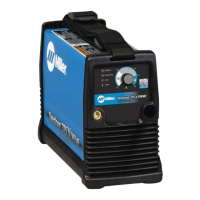
What to check if there is no gas/air flow on my Miller Welding System?
- SSusan TylerSep 17, 2025
If there is no gas/air flow, check the operation of the gas valve AS1, and check the gas/air system for leaks. Also, check the filter element.
What to check if there is no gas/air flow on my Miller Welding System?
If there is no gas/air flow, check the operation of the gas valve AS1, and check the gas/air system for leaks. Also, check the filter element.
What does it mean when the temperature status light is on on my Miller Spectrum 375 X-TREME?
If the temperature status light is on, the unit is overheating. Allow the fan to run; the trouble light will go out when the unit has cooled.
What to do if capacitor voltage does not drop to near zero after several minutes in Miller Spectrum 375 X-TREME?
If the capacitor voltage in your Miller Welding System doesn't drop to near zero after several minutes, use a bleeder resistor of between 200 and 500 ohms, at least 10 watts, and #16 AWG 600 volts AC insulation rated wire to discharge the capacitor(s).
Why is the temperature status light on my Miller Spectrum 375 X-TREME Welding System?
If the Temperature status light is on, it indicates that the Miller Welding System unit is overheating. Allow the fan to run to cool it down. The light should turn off once the unit has cooled sufficiently. If the problem persists, consult a Factory Authorized Service Agent to check the control board.
What does it mean when the power light is flashing and status lights are off on my Miller Welding System?
If the power light is flashing and status lights are off, reset the power switch. If the problem continues, have a qualified technician check the input line power.
What does it mean when the cup status light flashes on my Miller Spectrum 375 X-TREME?
If the cup status light flashes, the unit lost output while attempting to cut or pilot. Check consumables and the torch for wear.
What to do if trouble lights are on and Miller Spectrum 375 X-TREME Welding System has no cutting output?
If the Trouble lights are on and the Miller Welding System has no cutting output, check the torch consumables. Check for gas/air flow at the torch. Check the air supply connection and pressure to the unit and torch. Reset the unit Power switch. If problems persist, have a Factory Authorized Service Agent check the torch and connections inside the unit.
Why does the arc go on and off while cutting with my Miller Spectrum 375 X-TREME?
The arc may go on and off while cutting because the torch travel speed is too slow, so try increasing the travel speed. Also, make sure to clean or replace torch consumables as necessary. Ensure the work clamp is securely attached to the workpiece.
How to extend the tip life on my Miller Welding System?
To address short tip life on your Miller Welding System, check and clean the drag shield of any slag, particles, and debris. Also, check the input air pressure.
How to troubleshoot no pilot arc on Miller Spectrum 375 X-TREME Welding System?
If you're experiencing difficulty establishing an arc or there's no pilot arc on your Miller Welding System, start by cleaning or replacing any worn consumables as needed. Also, check the torch and torch cable for any damage.
Explains the meaning of various safety symbols used in the manual.
Details the specific dangers associated with plasma arc cutting processes.
Covers extra hazards during installation, operation, and maintenance.
States chemicals in the product known to cause cancer or birth defects.
Lists key safety standards and their sources for reference.
Discusses electromagnetic fields and their potential impact on medical implants.
Provides additional safety symbols found on CE products.
Explains various technical symbols and their meanings.
Identifies where to find unit serial and rating information.
Details the general specifications and operating temperature limits.
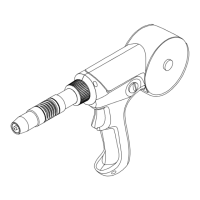
Provides physical dimensions of the cutting torch.
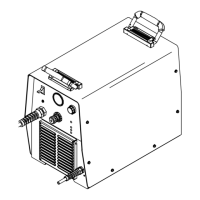
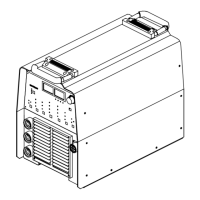
Provides physical dimensions of the power source unit.
Explains duty cycle limits and procedures for preventing overheating.
Outlines IP rating and temperature ranges for operation and storage.
Guidance on choosing a suitable location for the equipment.
Instructions for connecting the air supply to the unit.
Steps for connecting and disconnecting the work cable.
How to properly connect the work clamp to the workpiece.
Recommendations for electrical service requirements and safety.
How to select and connect the appropriate MVP plug.
Specific instructions for connecting 120V input power.
Specific instructions for connecting 240V input power.
Identifies and explains the unit's controls and indicators.
Provides recommended cutting speeds for various materials and thicknesses.
Outlines best practices for using the plasma cutting system.
Step-by-step guide for performing cutting operations.
Step-by-step guide for piercing operations.
Schedule and procedures for regular equipment maintenance.
Instructions for safely removing the unit's wrapper for access.
Procedures for inspecting and replacing the air filter element.
Guide for inspecting and replacing torch parts like tip and electrode.
Explains the meaning of status and trouble lights on the unit.
Provides solutions for common power source and torch issues.
| Input Voltage | 120/240 V |
|---|---|
| Input Phase | 1-Phase |
| Output Current | 30 A |
| Open-Circuit Voltage (OCV) | 240 VDC |
| Processes | Plasma Cutting |
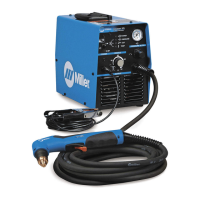
| Weight | 19 lbs (8.6 kg) |
| Plasma Cutting Capacity | 3/8 in (9.5 mm) at 10 ipm (254 mm/min) |
| Gas Supply | Compressed Air |
| Gas Flow Rate | 4.5 cfm (127 L/min) |
| Gas Pressure | 70 psi (4.8 bar) |