Need help?
Do you have a question about the Milnor E-P OneTouch and is the answer not in the manual?
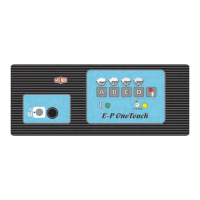
Overview of the E-P OneTouch control panel, including buttons, lights, and their legend for washer-extractors.
Details the functionality of Formula Selection buttons for starting pre-programmed wash formulas on the E-P OneTouch controller.
General guide to operating the E-P OneTouch controller on Milnor washer-extractors.
Step-by-step instructions for loading the machine, starting a formula, and unloading after operation.
Procedure for terminating a running formula using the Terminate button and restarting operation.
Guidelines for determining the appropriate load size for Milnor washer-extractors to prevent damage and ensure quality.
Identifies common operational errors such as vibration issues, door interlocks, and inverter faults, with recovery steps.
This document serves as an Operator Guide for Milnor® E-P OneTouch® Controls on washer-extractors, detailing their function, usage, and troubleshooting procedures during normal operation.
The Milnor® E-P OneTouch® Controls are designed to manage the operation of washer-extractors, providing a user-friendly interface for selecting wash formulas, monitoring machine status, and handling various operational scenarios, including errors. The control system utilizes membrane push-buttons for most functions, along with a mechanical push-button for door unlocking and indicator lights for machine status.
The core function of the E-P OneTouch® controller is to execute pre-programmed wash formulas. These formulas are tailored to different machine configurations and types of goods being processed, ensuring optimal washing results. The system is equipped with safety features to prevent injury and machine damage, such as door interlocks and vibration monitoring.
The E-P OneTouch® Controls offer several features to facilitate ease of use during normal operation:
Formula Selection Buttons: The controller provides four pre-programmed formulas, accessible via dedicated Formula Selection buttons (labeled A, B, C, and D). To start a desired formula, the operator simply presses the corresponding button after loading the machine and closing the door. The choice of formula should be guided by the chemical supplier's recommendations for the specific type of goods.
Terminate Button: The Terminate button (represented by a stop symbol) allows the operator to end any running formula prematurely. If a formula is terminated early, it must be restarted from the beginning using one of the Formula Selection buttons after ensuring the door is closed. This button also serves to clear error conditions, such as those related to door lock circuits or inverter malfunctions.
Last Rinse Light: This indicator light illuminates when the final bath step of any formula begins and remains on until the formula concludes. Its primary purpose is to alert the operator that the machine is nearing the end of the cycle and will soon be ready for unloading. It also signals the appropriate time to add chemicals like softener during the last bath. In the event of an error, this light flashes in conjunction with the In Progress light.
In Progress Light: This light serves multiple purposes. Upon initial power application, it flashes for 75 seconds, indicating a power-up delay timer countdown. Once a formula starts (door closed, formula button pressed), it remains constantly on, signifying that the machine is actively running. It turns off when a formula ends normally, is terminated by the operator, or an error occurs. If a formula is terminated early by the operator, this light flashes for 75 seconds as the coast timer counts down before the door can be unlocked. In error scenarios, it flashes with the Last Rinse light.
Door Unlock Button: This mechanical push-button activates a solenoid in the door latch, allowing the operator to open the door. For safety, the microprocessor controller disables this button when a formula starts and for 75 seconds after a formula ends (whether normally, early, or due to an error) to prevent opening the door while the basket is turning. To open the door after an error, the Terminate button must first be pressed to clear the error condition, then the Door Unlock button held while turning the door latch handle.
Loading and Unloading: The process of loading the machine involves holding the Door Unlock button to release the latch, opening the door, loading goods according to plant guidelines and load size determination, and then firmly closing the door. Unloading is performed by holding the Door Unlock button and turning the latch handle once the formula has ended and the Formula Running light goes out.
Determining Load Size: The manual emphasizes that proper load size is crucial to prevent machine damage. Operators are advised to consider the type of goods (common cotton or synthetic materials), the ability of the load to balance before the extract step, and to avoid exceeding the designed maximum extract speed or programming excessive extract steps. The maximum load weight is determined by the cylinder's volume and the material/weight of the goods, with a caution against overloading with bulky fabrics.
While primarily an operator guide, the manual touches upon aspects that relate to maintenance or troubleshooting, which indirectly contribute to the machine's upkeep:
Troubleshooting Errors: The guide provides specific instructions for addressing common operational errors, which helps operators identify and potentially resolve issues before escalating to maintenance personnel.
By providing clear instructions for these scenarios, the manual empowers operators to perform initial diagnostics and corrective actions, potentially reducing downtime and the need for immediate service calls. The emphasis on safety procedures, such as waiting for coast timers and ensuring the door is securely closed, also contributes to the longevity and safe operation of the machine.
 General
| Brand | Milnor |
|---|---|
| Model | E-P OneTouch |
| Category | Control Unit |
| Language | English |

 To Next Page