KEYPAD PROGRAMMING
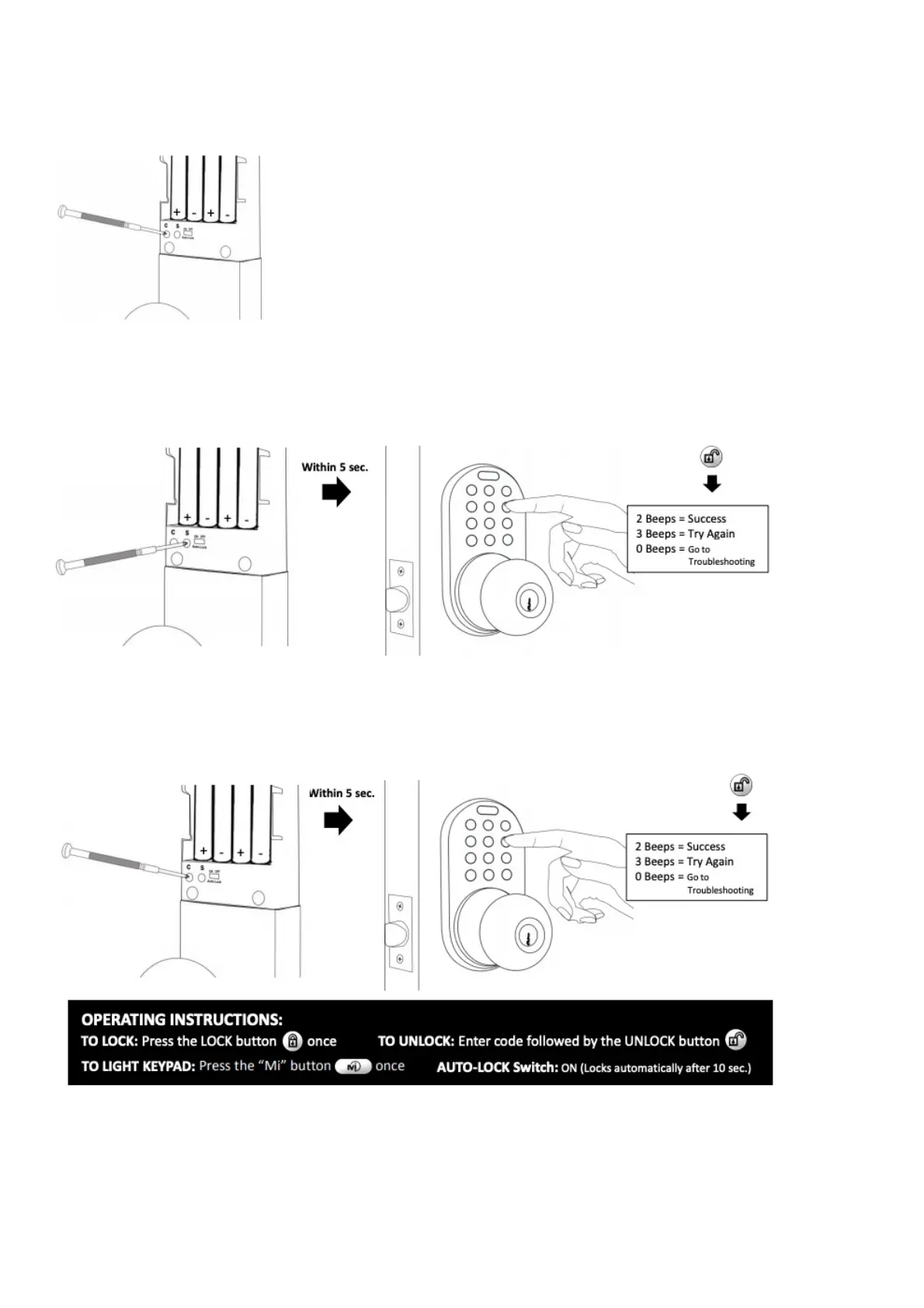
Delete All Codes (Recommended for initial set up):
Add a Code
Press the “S” button once
Enter a 2 to 8 digit passcode followed by the unlock button
Delete a Code
Press the “C” button once
Enter the code you wish to delete followed by the unlock button
TROUBLESHOOTING
Low Batteries (Most Common Issue):
If the lock produces a longer set of rapid beeps and either locks or does not lock the door, you have
low batteries. To avoid any difficulties during set up, make sure you are using brand new AA alkaline
batteries. Using a battery tester is not recommended.


 To Next Page