Need help?
Do you have a question about the Miltenyi Biotec MACSQuant Tyto and is the answer not in the manual?
General warnings and safety instructions for instrument operation and risk minimization.
Explanation of signal words used to warn about hazardous situations and property damage.
Description of symbols used to highlight conditions that could cause injury to personnel.
Instructions on maintaining and inspecting safety labels and markings on the instrument.
General guidelines for safe operation and troubleshooting of the instrument.
Details potential risks from electrical devices, including shock, short circuits, and overheating.
Explains risks associated with laser and LED radiation and protective measures.
Discusses risks from biological material, contamination, and chemical handling.
Guidelines for instrument servicing, repair, and safe transportation.
Information on the disposal of electrical and electronic equipment (WEEE).
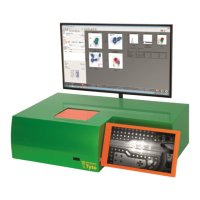
Overview of the MACSQuant® Tyto® Cell Sorter, its technology, and capabilities.
Defines the instrument's intended purpose and user restrictions.
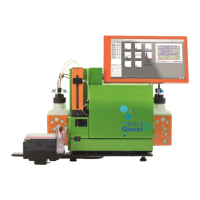
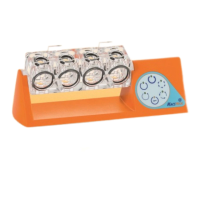
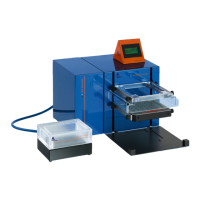
Lists all components provided with the MACSQuant® Tyto® Cell Sorter.
Lists the consumables required for the operation of the instrument.
Step-by-step guide for unpacking the instrument.
Instructions for connecting the monitor and keyboard to the instrument.
Procedure for powering on the MACSQuant® Tyto® Cell Sorter.
Procedure for safely shutting down the instrument and software.
Steps for scanning the 2D code on the instrument cartridge.
Instructions for correctly inserting the cartridge into the instrument.
How to stop the sorting process and remove the cartridge.
Procedures for cleaning and decontaminating the instrument.
Guide on how to replace the instrument's fuses.
Common issues and solutions when cartridge alignment fails.
Troubleshooting steps for continuous alignment errors.
Possible causes and fixes for a cartridge failing to pressurize.
Solutions for issues where the instrument's valve is not functioning.
Troubleshooting steps for a clogged sort channel in the cartridge.
How to address issues with a clogged input filter affecting sort rates.
Diagnosing and resolving false negative populations in the analysis.
Reasons and solutions for low cell yield during sorting.
Troubleshooting steps for achieving higher purity of sorted target cells.
Detailed technical specifications including dimensions, power, and ports.
Optical parameters of the MACSQuant Tyto Cell Sorter, including lasers and detectors.
Fluidic parameters such as sample volume, purity, and cell flow rate.
Specifications for data management, measurement parameters, and signal processing.
Required technical specifications and certification for external monitors.
Declaration of conformity for the laboratory equipment to EU directives and standards.
Information on accessing real-time diagnostic service and remote assistance.
Contact details for technical support at Miltenyi Biotec headquarters.
 General
| Type | Cell Sorter |
|---|---|
| Number of Lasers | 3 |
| Laser Wavelengths | 405 nm, 488 nm, 638 nm |
| Number of Detectors | 8 |
| Fluorescence Detection Channels | 8 |
| Purity | >98% |
| Sample Volume Range | 100 µL to 5 mL |
| Cell Sorter Type | Closed system |
| Detection Technology | Fluorescence |
| Recovery | >90% |
| Data Acquisition Rate | Up to 30, 000 events/second |
| Laser Configuration | Fixed |
| Software | MACSQuantify |
| Sterility | Closed, sterile system |
| Dimensions (W x D x H) | 60 cm x 60 cm x 75 cm |
| Weight | 80 kg |
| Technology | Microchip-based cell sorting |


 To Next Page