Mimo Monitors
info@mimomonitors.com
Sales: 1-855-YES-MIMO (937-6466)
4
6 | «
MOVING THE DISPLAY »
MOVING THE DISPLAY
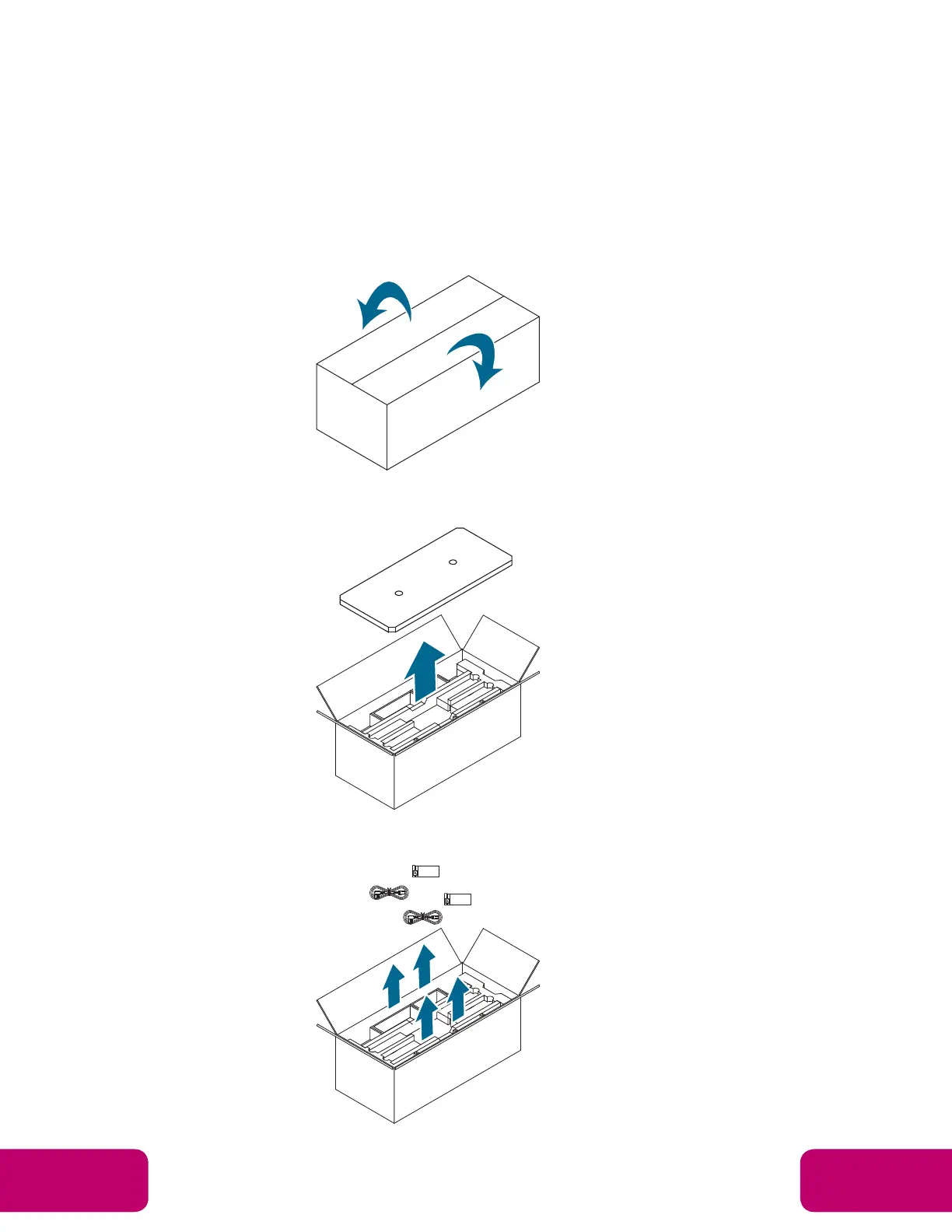
Unpacking the Display
Before unpacking the display, prepare a flat and stable surface near a wall outlet. Set the product
box in an upright position according to the arrow markings on the outside of the product box.
1. Open the product box from the top side.
2. Remove the top EPE cushion.
3. Remove two sets of accessories from the side compartments in the top layer.



 To Next Page