CHANGING THE RESERVOIR ONLY
MINIMED™ 780G SYSTEM | MEDTRONIC EXTENDED INFUSION SET
- 2 -
Next, you’ll ll the reservoir with insulin.
1
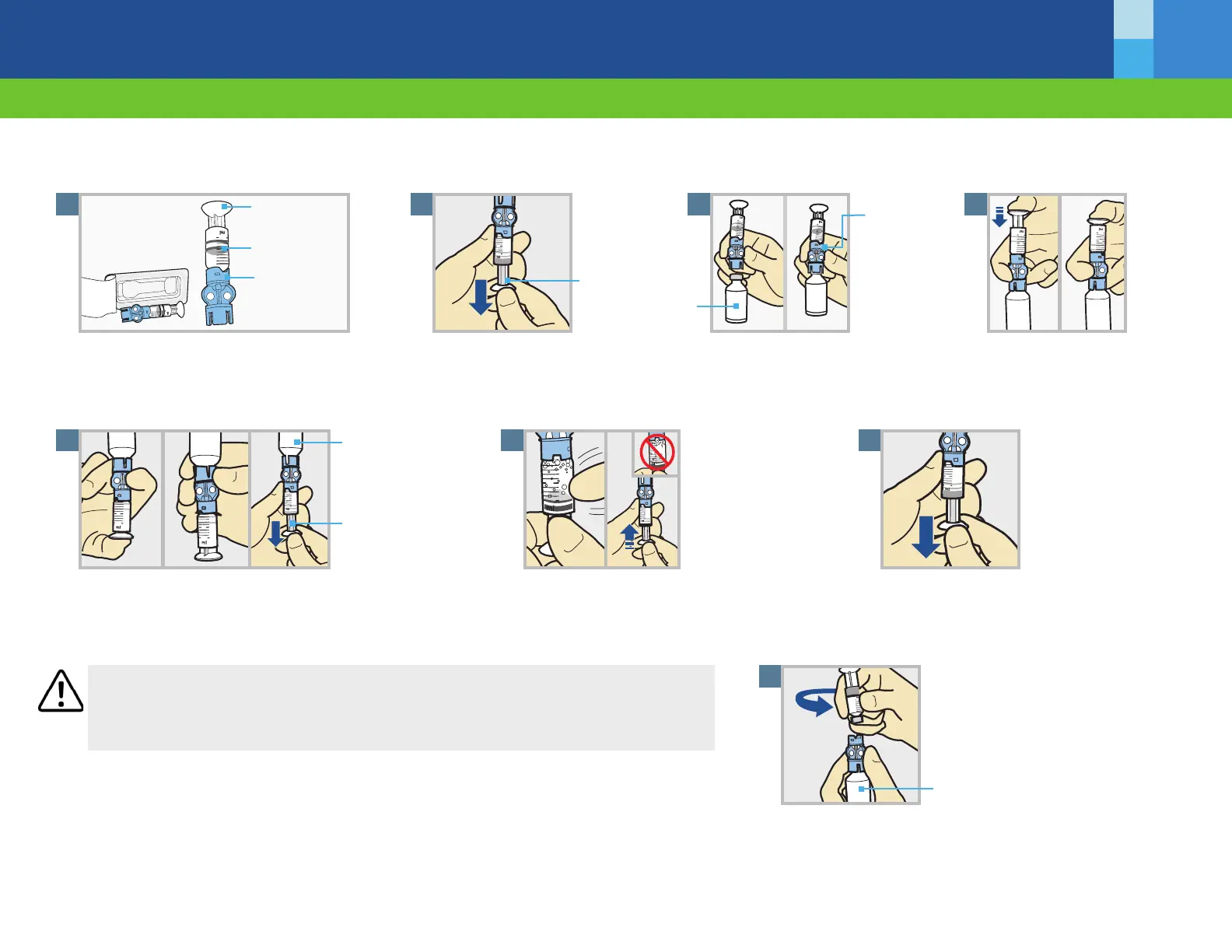
Remove from package. Make sure insulin vial is
at room temperature to reduce the risk of air
bubbles.
FILL THE RESERVOIR
Plunger rod
Reservoir
Transfer guard
2
Pull plunger down to the
amount that you plan to ll with
insulin.
4
Push and hold plunger down.
Plunger
3
Wipe vial with alcohol. Place vial
on table. Firmly press the blue
transfer guard onto vial.
Transfer
guard
Insulin vial
5
With your thumb still on the plunger, Flip over so vial is on top.
Release thumb and pull plunger down to ll with insulin.
6
Tap the reservoir to move air bubbles to top of
reservoir. Push plunger up to move air into vial.
7
Pull plunger back down to amount of insulin
needed.
Insulin vial
Plunger
WARNING Do not use the reservoir or infusion set if any liquid gets on the top of the reservoir or inside
the tubing connector. Liquid can temporarily block the vents. This may result in the delivery of too little
or too much insulin, which can cause hyperglycemia or hypoglycemia. If any liquid gets on the top of the
reservoir or inside the tubing connector, start over with a new reservoir and infusion set.
To avoid getting insulin on the top of the reservoir, turn vial over so it
is upright. Hold transfer guard and turn reservoir counter-clockwise
and remove from transfer guard.
8
Hold vial upright



 To Next Page