Need help?
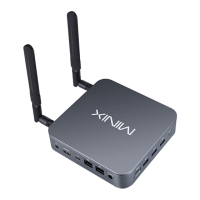
Do you have a question about the Minix NEO N42C-4 and is the answer not in the manual?
Details on the CPU (Intel Pentium N4200) and GPU (Intel HD Graphics 505).
Information on RAM capacity, slots, internal storage, and expansion options.
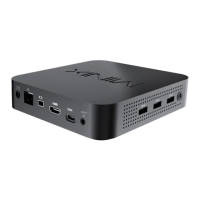
Explains the use of USB 3.0 ports for external devices and USB-C for PC monitors.
Details the HDMI and Mini DisplayPort for connecting to displays, including limitations.
Steps for connecting the device to the power adapter or USB-C power.
Instructions on how to power on the NEO N42C-4 using the power button.
 General
| Processor | Intel Pentium N4200 |
|---|---|
| Graphics | Intel HD Graphics 505 |
| RAM | 4GB DDR3L |
| Storage | 32GB eMMC |
| Wi-Fi | 802.11ac |
| Bluetooth | Bluetooth 4.1 |
| Ethernet | Gigabit Ethernet |
| Card Reader | MicroSD Card Slot |
| Dimensions | 139 mm x 139 mm x 30 mm |
| Operating System | Windows 10 |
| Ports | 1 x USB Type-C |
| Video Output | HDMI, Mini DisplayPort |
| Audio Output | 3.5mm Audio Jack, HDMI |
| Power Supply | 12V/3A |

 To Next Page