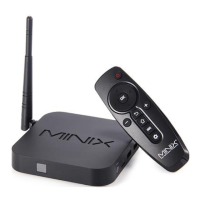
Need help?
Do you have a question about the Minix Neo Z64 and is the answer not in the manual?
Lists the power adapter and HDMI cable provided with the MINIX NEO Z64.
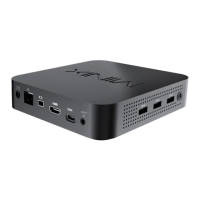
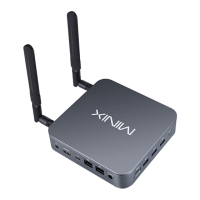
Identifies key physical ports and features on the MINIX NEO Z64 device.
Explains the function of the power button and the status LED on the device.
Details the Micro SD card slot for storage expansion and the earphone jack.
Lists the supported input devices for controlling the NEO Z64, such as mice and keyboards.
Outlines the necessary equipment for setting up the NEO Z64, including display and network.
Provides instructions for connecting the HDMI cable and power adapter.
Guides users on how to power on the device and select the correct input on their display.
 General
| Processor | Intel Atom Z3735F |
|---|---|
| GPU | Intel HD Graphics |
| Storage | 32 GB eMMC |
| Wireless | 802.11 b/g/n |
| Bluetooth | Bluetooth 4.0 |
| Video Output | HDMI |
| Ethernet | 10/100 Mbps |
| CPU Speed | 1.33 GHz (up to 1.83 GHz) |
| RAM | 2GB |
| Operating System | Windows 8.1 |
| Audio Output | HDMI, 3.5mm Jack |
| Card Reader | Micro SD |
| USB Ports | 2 x USB 2.0 |

 To Next Page