EasyManua.ls Logo

Minix NEO J51-C8 Max - User Manual

Minix NEO J51-C8 Max
13 pages
To Next Page IconTo Next Page
Loading...
NEO J51-C8 Max
INTEL MINI PC WITH
WINDOWS 11 PRO (64-bit) PRE-INSTALLED
English User Guide
Ultra Compact Jasper Lake Mini PC [Intel N5105 CPU]
Question and Answer IconNeed help?

Do you have a question about the Minix NEO J51-C8 Max and is the answer not in the manual?

Minix NEO J51-C8 Max Specifications

General IconGeneral
BrandMinix
ModelNEO J51-C8 Max
CategoryDesktop
LanguageEnglish

Summary

Product Specifications

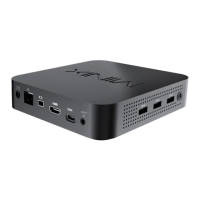
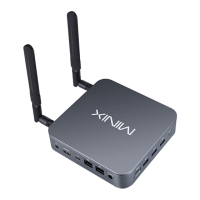
Product Overview and Features

Power Button and LED Indicator

Details on powering the device on/off using the power button and observing the LED status indicator.

Audio and Network Connectivity

Connect external audio devices via the 3.5mm jack and wired internet via the 2.5G Ethernet port.

Power Input Options

Information on connecting the 12V power adapter or using USB-C power input.

Display and USB Ports

Guide to connecting displays via HDMI, Mini DP, USB-C, and using USB 3.2 ports for devices.

Device Control Methods

Initial Device Setup

Connecting to Display and Power

Steps for connecting the Mini PC to a monitor via HDMI, Mini DP, or USB-C, and connecting power.

Powering On and Input Selection

Instructions on how to power on the device and select the correct input source on the monitor.
USB-C Port Specifics

Contact and Support Information

Related product manuals