Overview
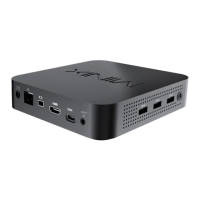
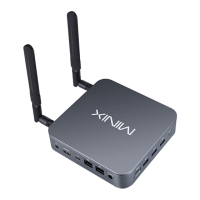
USB 3.2 Ports - Connect an external USB device to the
NEO J51-C8 Max such as webcam, wired mouse or external
hard drive.
HDMI Port - Connect the NEO J51-C8 Max via HDMI to a TV
or PC monitor using included HDMI cable.
Mini DP Port - Connect the NEO J51-C8 Max via Mini DP to a
PC monitor. Please note, an active adapter is required to
convert Mini DisplayPort output to HDMI/DVI output.
USB-C Port - Connect the NEO J51-C8 Max via USB-C to a PC
monitor. Please note, the USB-C port only supports video
output, not audio output. The USB-C port does support
‘hot plugging’, a USB-C cable or adapter should only be
connected/disconnected when NEO J51-C8 Max is
powered off.

 To Next Page
 Loading...