8
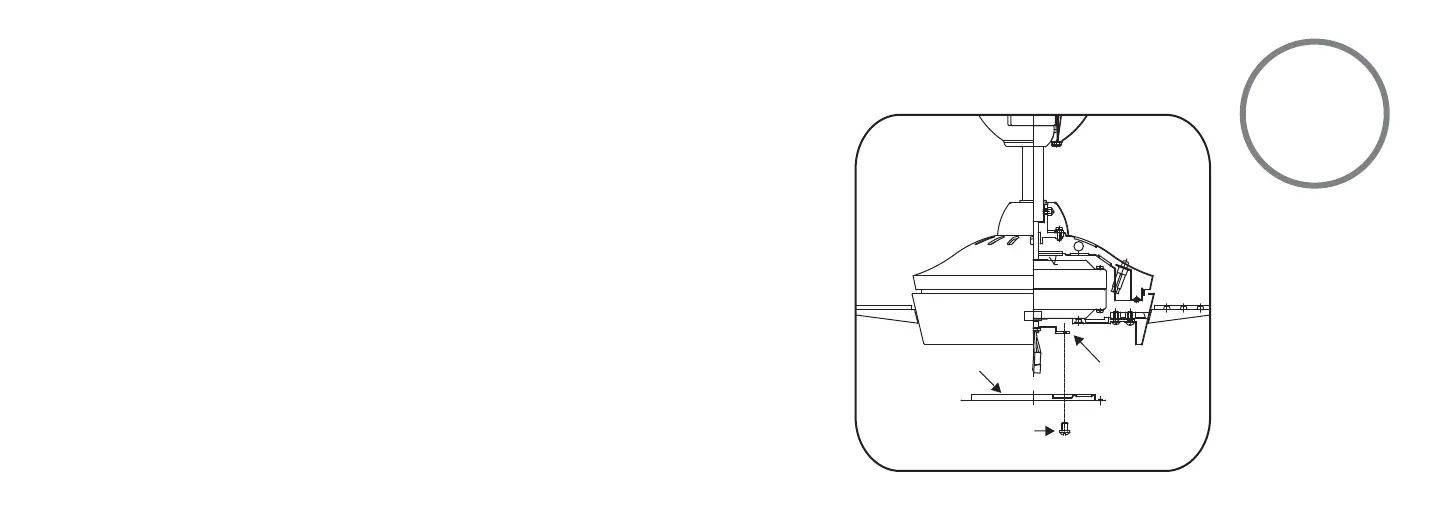
Fig 17
Step 1. Remove 1 of 3 screws from the mounting ring and loosen the other 2 screws. (Do not
remove)
Step 2. Place the key holes from the mounting plate over the 2 screws previously loosened
from the mounting ring, turn mounting plate until it locks in place at the narrow section of
the key holes. Secure by tightening the 2 screws previously loosened and the one previously
removed. (Fig. 17)
INSTALLING THE MOUNTING PLATE
MOUNTING
RING
SCREWS
MOUNTING PLATE








 To Next Page