minutes, before it disappears. This is normal and not a
fault, because the Night-Vision scope always switches
off gradually.
For use at night
Switching on
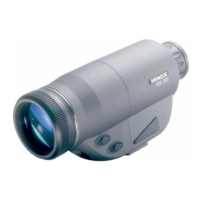
Remove the lens cap.
Actuate the main switch. The green LED lights up. When
you look through the eyepiece you will see a green,
fluorescing image.
Adjustment
Aim at an object situated at a distance of 20-30 m (22-
33 yds). Turn the focusing ring on the eyepiece to get a
sharp image. Then turn the front focusing ring to make
the image sharper still.
Repeat this procedure if necessary.
Infra-red illuminator
The infra-red illuminator provides you with an improved
imaging result under inadequate light conditions. After
actuating the infra-red illuminator switch the image
appears brighter.
Switching off
Actuate the main switch. When you look through the
eyepiece the green image remains visible for a few more
minutes, before it disappears. This is normal and not a
fault, because the Night-Vision scope always switches off
gradually.
Important note:
For longer battery service life we recommend you not to
leave the Night-Vision scope switched on continuously. It
is better to switch it off every now and again.
Save keeping
To protect the lens always fit the lens cap before putting
the Night-Vision scope away in the every-ready case.
Important information
To avoid irreparable damage to your Night-Vision scope,
please always observe the following instructions:
- If you wish to use the device in daylight, never remove
the lens cap. The small opening in the center of the cap is
adequately dimensioned for using the device in daylight.
5


 To Next Page