Need help?
Do you have a question about the minrray UV100T and is the answer not in the manual?
Guidelines for safe and correct product usage to prevent damage.
Requirements for installation and use according to electrical safety standards.
Advice on avoiding product damage during transport, storage, and installation.
Information on the correct DC 12V power supply polarity.
Specific instructions and warnings for safe installation procedures.
Warning against unauthorized product disassembly and voiding warranty.
Potential impact of magnetic fields on product image and required measures.
Overview of the teaching tracking camera system solution.
Key features and benefits of the teaching tracking camera products.
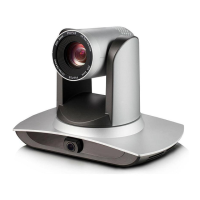
Detailed specifications and capabilities of the camera products.
Explanation of the naming convention for ordering different camera configurations.
Diagram and labels for the camera's front view interfaces.
Diagram and labels for the rear view interfaces of the SDI model.
Diagram and labels for the rear view interfaces of the HDMI U3 model.
Detailed explanation of the pin assignments for the RS-232 control port.
Diagram illustrating the placement of cameras in a classroom setup.
Diagram showing how to connect the cameras and other components.
Steps to configure the IP address for the tracking camera using software.
How to set up tracking modes, areas, and parameters for optimal performance.
Procedure for updating the device firmware via the configuration tool.
How to control auto tracking features via network or serial port.
Configuring action codes for communication between devices.
Explains the function of each key on the infrared remote control.
Instructions on operating the camera using the remote control functions.
Overview of the main menu structure and navigation.
Configuration options for system-wide parameters.
Detailed settings for camera image, focus, and other parameters.
Controls for camera exposure settings like mode, EV, and shutter.
Settings for white balance, saturation, hue, and color tuning.
Adjustments for brightness, contrast, sharpness, and image effects.
Settings for focus mode, area, and sensitivity.
Options for reducing image noise using 2D, 3D, and hot pixel reduction.
Controls for Pan, Tilt, and Zoom speed and behavior.
Selection of output video resolution and frame rate.
Displays firmware version information for the camera.
Procedure to reset camera settings to factory defaults.
Guidelines for regular cleaning and care of the camera.
Solutions for common issues like no image, unstable video, and remote control problems.
 General
| Resolution | 1920 x 1080 |
|---|---|
| Digital Zoom | 16x |
| Backlight Compensation | Yes |
| Digital Noise Reduction | 2D & 3D Digital Noise Reduction |
| Preset Position | 255 |
| Control Protocol | VISCA, PELCO-D, PELCO-P |
| Effective Pixel | 2.07 megapixel |
| Lens | 20x optical zoom |
| Aperture | F1.6-F3.5 |
| Minimum Illumination | 0.5 Lux @ (F1.8, AGC ON) |
| Shutter | 1/30s ~ 1/10000s |
| White Balance | Auto |
| Video Format | 1080p60, 1080p50, 1080p30, 1080p25, 720p60, 720p50 |
| Pan/Tilt Movement | Pan: -170° ~ +170°, Tilt: -30° ~ +90° |
| Communication Interface | RS232, RS485 |
| Sensor Type | 1/2.8-inch high-quality HD CMOS sensor |

 To Next Page