Need help?
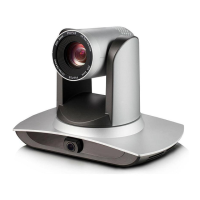
Do you have a question about the minrray VA400 and is the answer not in the manual?
General guidelines for using the product safely and effectively within specified ranges.
Emphasizes compliance with local electrical safety standards for installation and use.
Advises against heavy pressure, strong vibration, or immersion to prevent damage.
Instructions on proper installation, avoiding violent rotation, and ensuring stable placement.
Warns against user disassembly and states that damage is not covered by warranty.
Notes potential radio interference due to electromagnetic fields.
Identifies and labels the various ports and components of the product's interface.
Provides step-by-step instructions for installing, powering on, and connecting the device.
Introduces the product and its basic design aspects.
Details the physical dimensions of the product.
Highlights key features like AI integration, framing technologies, and USB plug-and-play.
Provides detailed technical specifications for camera, audio, controller, and interface.
Explains the functions of each button on the remote control for device operation.
Outlines the main menu structure and navigation for accessing settings and language options.
Details exposure settings including mode, compensation, backlight, and gain limit.
Explains color settings like white balance, saturation, hue, and sensitivity.
Details image adjustments such as brightness, contrast, sharpness, and flip modes.
Describes settings for 2D and 3D noise reduction to improve image clarity.
Displays the camera's software version and release date.
Guides on how to restore the device settings to their factory defaults.
Provides instructions for cleaning and maintaining the product, including power-off procedures.
Offers solutions for common issues like no video output or no image.
 General
| Brand | minrray |
|---|---|
| Model | VA400 |
| Category | Digital Camera |
| Language | English |

 To Next Page