- 3 -
1. Quick Installation Instructions
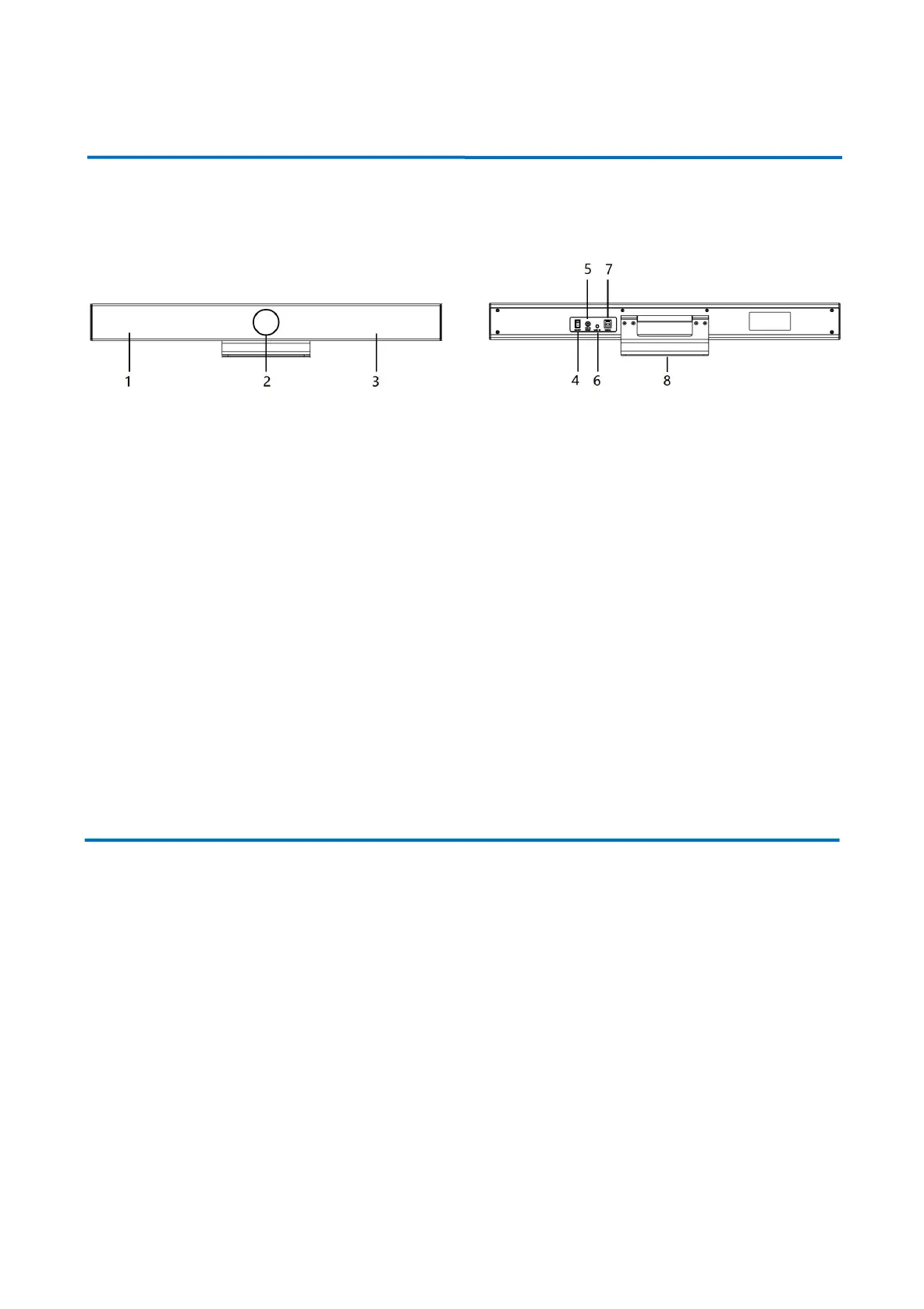
1.1 Product Interface
Figure 1.1 Product Interfaces
1.2 Product Use
1) Installation: Fix the device to the wall, over the display screen or directly put it on the desktop.
2) Power on: Connect the DC12V power adapter to the power input socket.
3) The USB interface is plugged into the computer, video conference terminal or other USB input device through
the USB cable, open the conference software, select the image and audio device output and then use it ;
2. Product Overview
2.1 Product Introduction
2.1.1 Dimension


 To Next Page