Note:
ŎNeutral Density, or ND filters, reduce the amount of light entering the camera. The higher the number,
the stronger its light-reduction ability
ŎND filters are used to avoid over-exposure in bright sunlight conditions
ŎAttach an ND filter if you wish to use f/5.6 to achieve shallow depth-of-field in brightly lit conditions
ŎCamera can close normally with a filter attached to the lens
TIPS: WHEN TO USE AN ND FILTER
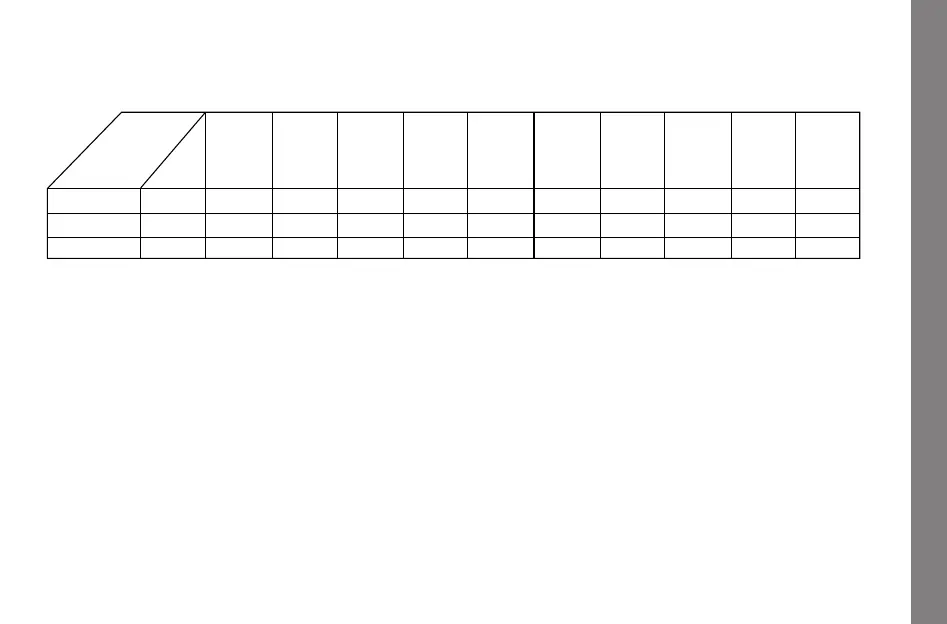
1. Your light meter app will show you the correct shutter speed after you have set the ISO at
800 and your desired F-Stop
2. When attaching an ND2, ND4, or ND8 filter, you can adjust the shutter speed according to
the above illustration
Tips: When to use an ND lter
20
ND2
light meter
ND4
ND8
1/4
1/8
1/2 1/4
1/8
1/15
1/2
1/8
1/15
1/30
1/4
1/15
1/30
1/60
1/8
1/30
1/60
1/125
1/15
1/60
1/125
1/250
1/30
1/125
1/250
1/500
1/60
1/250
1/500
1/1000
1/125
1/2
1/4
1
1/2
1
1
1
Your
shows:


 To Next Page