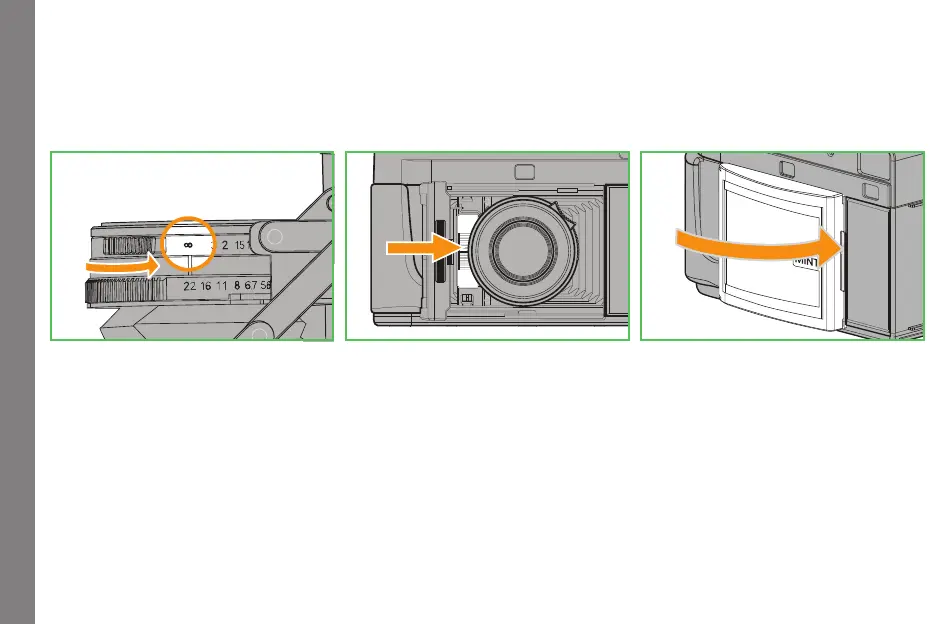
CLOSING THE FRONT COVER
1. Set the focusing ring to Infinity position
(Front cover cannot close if the focusing ring is not set to
Infinity. Forcing it to close might cause damage.)
2. Press the lever next to the camera and close the front cover
as indicated by the arrow
3. The lens will retract as the front cover closes
Note:
ŎThe front cover can close normally with a
filter attached to the lens
Closing the front cover
7


 To Next Page