4.3 Tasks: Keeping a To Do List
Use Tasks to keep track of what you have to do.
Tap
Æ
Programs Æ Tasks to switch to the program.
Creating a Task
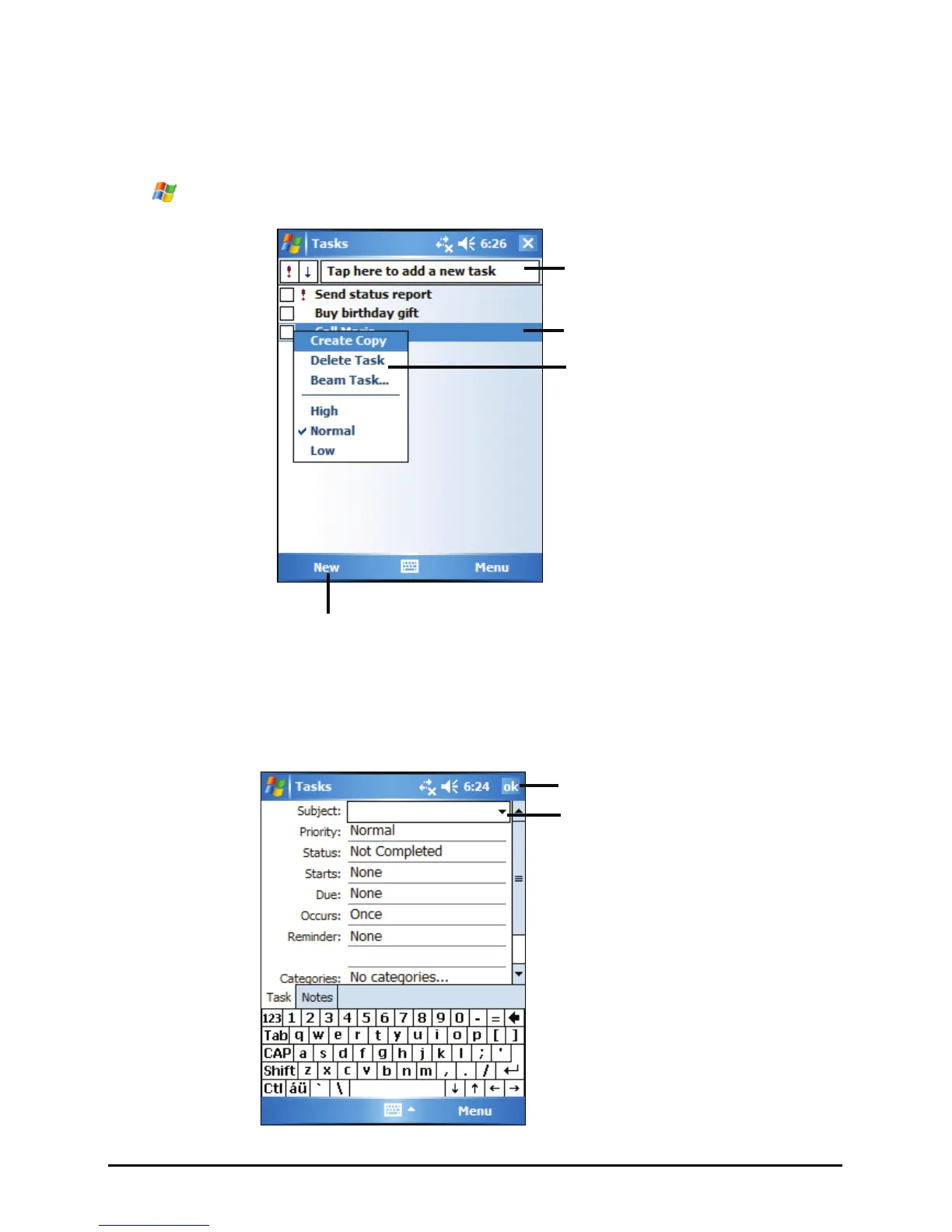
1. In Task, tap New.
Tap to return to the task list (the
task is saved automatically).
Tap to create a new task.
Tap to quickly create a task with
only a subject
Tap to display or edit the task
details.
Tap and hold to display the
shortcut men.
Tap to choose from predefined
subjects.
43


 To Next Page