7.2 Restoring Last State
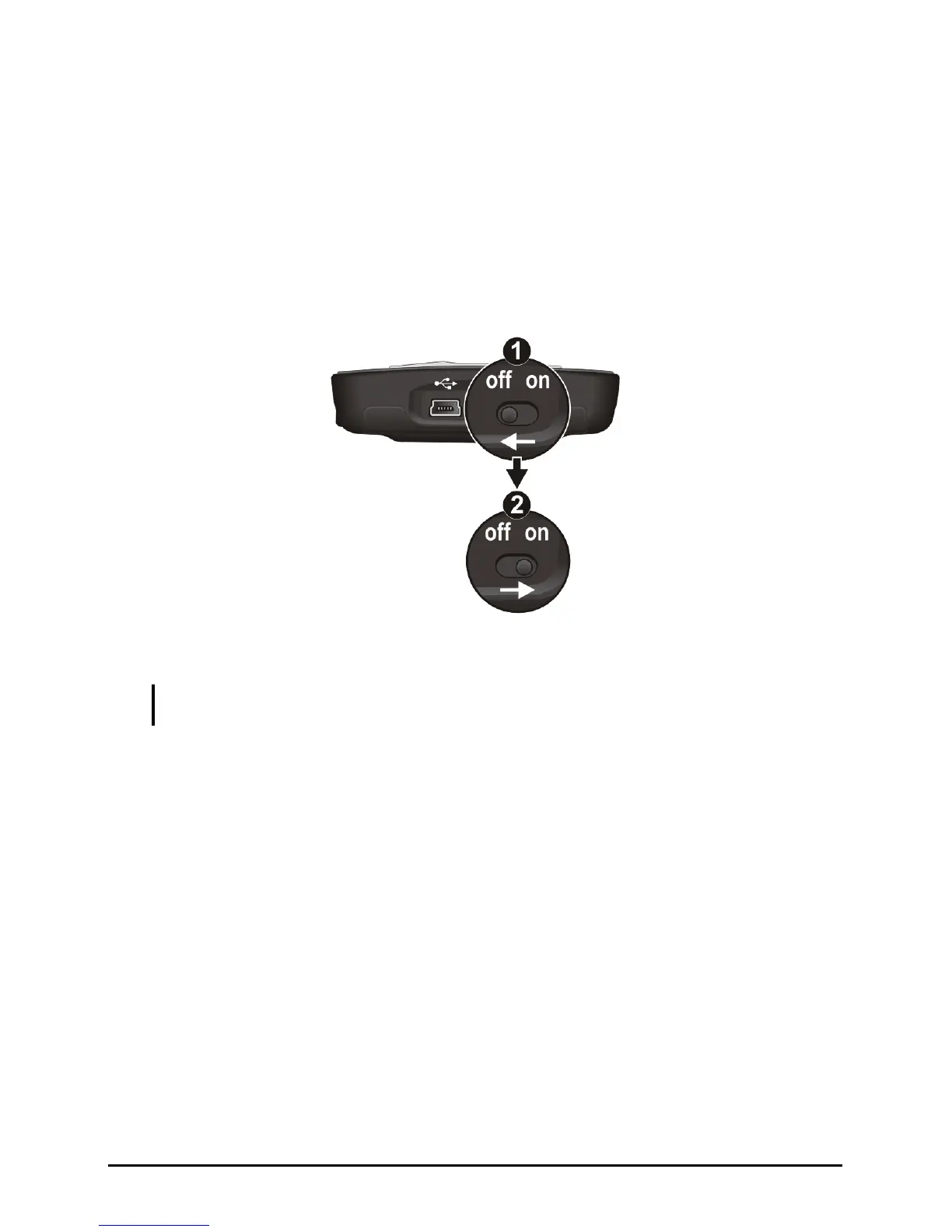
Follow this procedure to restore your Pocket PC to the last state when your
1. Disconnect all cables, including t your Pocket PC.
2.
3. Wait for 1 mi ON position.
Pocket PC does not respond after being reset.
he AC adapter, from
Slide the ON/OFF switch to the OFF position.
nute and then slide the switch back to the
Your Pocket PC turns on.
NOTE: You need to restore your Pocket PC to factory default state if you have set up a
4.
password but forget it. (See “SysInfo” in Section 5.8.)
76


 To Next Page