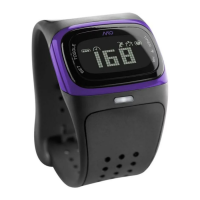
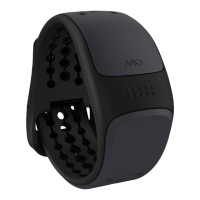
For more info visit www.mioglobal.com
.
.
A. MIO DRIVE ATAGLANCE
B. MODES OF OPERATION
Press MODE to move to the next mode.
TIME & DATE
• Display time, date, weekday and
your name or initials
H. TAKING YOUR HEART RATE
The small digits at the right display the percentage of
your current heart rate to your maximum heart rate (up
to ). MIO calculates this percentage using your per-
sonal data. A maximum heart rate is an estimate with a
variability of up to BPM.
You return to the previous mode seconds after remov-
ing your fi nger pads from the MIO Sensors.
TROUBLESHOOTING POINTERS
. If you don’t get your heart rate within seconds,
moisten fi nger pads and try again. It helps to wear
your MIO for a little while to allow a layer of moisture
to build up between the back of the watch and your
arm. Do not press too hard on sensors.
. If MIO’s calculations start to vary signifi cantly from
what you have come to expect, if the digits freeze or if
the face is blank, replace MIO’s battery (see Section K).
. To optimize readings, occasionally clean the back of
your MIO case and the metal UPPER and LOWER MIO
sensors with a clean soft cloth.
User’s Guide
DRIVE
D. WAKING UP YOUR MIO
Your MIO may be in sleep mode (with a blank display)
when you fi rst receive it.
• Hold START until you see blinking H or H to
activate your MIO and start setting it up.
• Setting time & date format:
Press + or – to toggle the format.
H = Hour clock (AM/PM) & MM/DD date format
H = Hour clock & DD/MM date format
Press SET to move to next setting.
• Do the same for TIME, DATE, YOUR NAME, WEIGHT UNIT,
WEIGHT, GENDER, BIRTH YEAR.
• Press SET to fi nish START UP.
E. SET TIME & DATE
Display shows Time, cycling through NAME, DATE, and
WEEKDAY automatically. To change TIME and DATE:
• Hold SET until beep ( seconds). H or H blinks.
• Press + or – to toggle the TIME & DATE format.
H = Hour clock (AM/PM) & MM/DD date format
H = Hour clock & DD/MM date format
• Press SET to set HOUR.
• Press + or – to select HOUR. To scroll quickly, hold + or –.
Press SET.
• Do the same to select MIN.
• To reset seconds to zero press + or –. Otherwise
press SET to move to next setting.
• Use + or – then SET to adjust YEAR, MONTH, DAY.
• To stop making changes at any time, hold SET for seconds.
F. SET MY MIO
MIO uses your personal information in calculating calories
burned during exercise. Update your weight regularly for
greatest accuracy in MIO’s calculations.
• Press MODE times to go from TIME to MY MIO.
• To make changes to your personal settings in MY MIO,
hold SET until beep ( seconds).
• The fi rst letter of NAME will blink. Use + or – to adjust. To
scroll quickly, hold + or –. Press SET to move to next letter.
• Do the same for WEIGHT UNIT, WEIGHT, GENDER,
BIRTH YEAR.
• To stop making changes at any time hold SET until
beep ( seconds).
To return to TIME, press MODE.
G. SET ALARM
• Press MODE once to go from TIME to ALARM.
• To change ALARM from ON to OFF or from
OFF to ON press the SET button.
• To change the time of an ALARM, hold the SET button until
beep ( seconds), use +/– to adjust the HOUR, press SET,
use +/– to adjust the MINUTE, then press SET. To scroll
more quickly hold the + or –.
• Alarm icon will show if the ALARM is on.
• Hold MODE for seconds to return to TIME mode.
ALARM
• Set daily alarm
3500 CALORIE COUNTDOWN
• Display remaining calories that
should be burned for the week
• Notify you when you meet
yourgoal
EXERCISE TIMER
• Exercise Timer for workouts and
other activities, timer modes
including Walk/Run timer
RESTING HEART R ATE
• Measure and display your
Resting Heart Rate
MY MIO
• Set your personal data
C. QUICK TIPS
SHORTCUTS
• To return to TIME from any mode, hold MODE for seconds
• To go directly to EXERCISE TIMER from any
mode press the START button
• To exit from any SET mode without going through
all settings, hold SET key for seconds
SET MODES
Whatever mode you are in, hold the SET button
to enter its SET mode:
. Hold SET until beep ( seconds)
. Value you are setting will fl ash
. Press + or – to adjust the value
To scroll automatically, hold + or –
. When value is adjusted, press SET again
. Repeat steps to as needed or hold SET for
seconds to exit the SET mode.
I. SET RESTING HEART RATE
For the most accurate reading, set this function when you
fi rst wake up in the morning (without an alarm clock).
Until then, use the default resting heart rate ( BPM).
• Press MODE times to go from TIME to RESTING
HEART RATE. Your most recent RHR will display.
• Place two fi nger pads on the MIO Sensors as described in
Section H. Heart icon blinks. Your resting heart rate should
appear within to seconds.
• To return to TIME, press MODE times.
.
Place middle
fi nger on the
metal UPPER MIO
sensor and index
fi nger on LOWER
MIO button.
Press down gently
on the buttons
to activate MIO
sensors. Heart
icon will fl ash.
Wait for Heart
Rate readout
(– seconds).
Your MIO will beep
to let you know
that the reading
is ready.
ECG accurate heartrate
without achest strap
calculate calories burned
using personal data
personalized percent
of maximum heart
ratedisplay
3500 calorie
countdownmode
User’s guide and
how-to videos available at
www.mioglobal.com

 Need help?
 General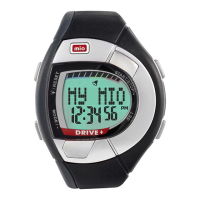

 To Next Page