Need help?
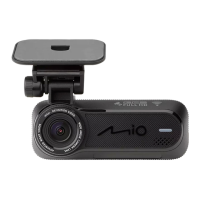
Do you have a question about the Mio MiVue J80 Series and is the answer not in the manual?
Steps to connect the dash cam to a smartphone via Wi-Fi.
How to update dash cam firmware and data using the app.
Instructions for securely mounting the dash cam in the vehicle.
Guide on how to insert and remove the MicroSD card.
Steps for formatting the memory card for optimal performance.
Instructions on how to power on the device.
Methods for safely turning off the dash cam.
How the device records video continuously.
How the device automatically records events like impacts.
Critical safety information about the internal battery.
 General
| GPS | Yes |
|---|---|
| Wi-Fi | Yes |
| G-Sensor | Yes |
| Loop Recording | Yes |
| Screen Size | 2.7 inches |
| Storage | MicroSD card, up to 128 GB |
| Aperture | f/1.8 |
| Parking Mode | Yes |
| ADAS | Yes |
| Night Vision | Yes |


 To Next Page