9
Using Your Miofive Dash Cam
LED Indicator Information
LED Indicator Dash Cam Status
Green LED light blinks
(1 sec)
Working, loop recording
Green LED light blinks
(250 ms)
Emergency recording
Green LED light solid on Stop recording, user operating
Red LED light blinks Firmware updating
Red LED light blinks fast
(0.5 sec) for 3 times
Low battery
Red LED light solid on eMMC abnormal
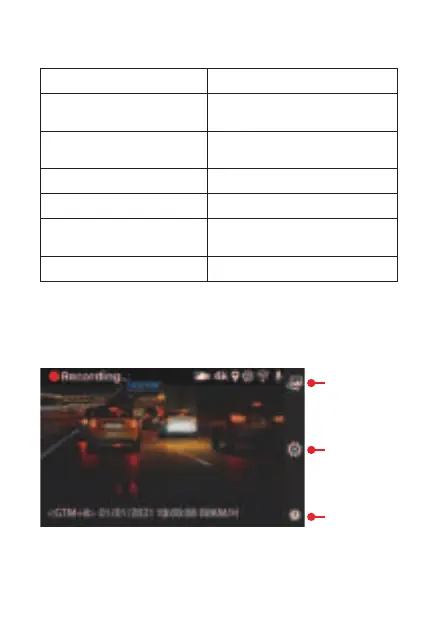
Control Menu
By pressing the button on the right side of the LCD panel, you
could enter the control menu.
By pressing this button, the current video clip will be locked
and stored in EMER Video.
Album
Settings
EMER Video


 To Next Page