- 4 -
Operating Manual
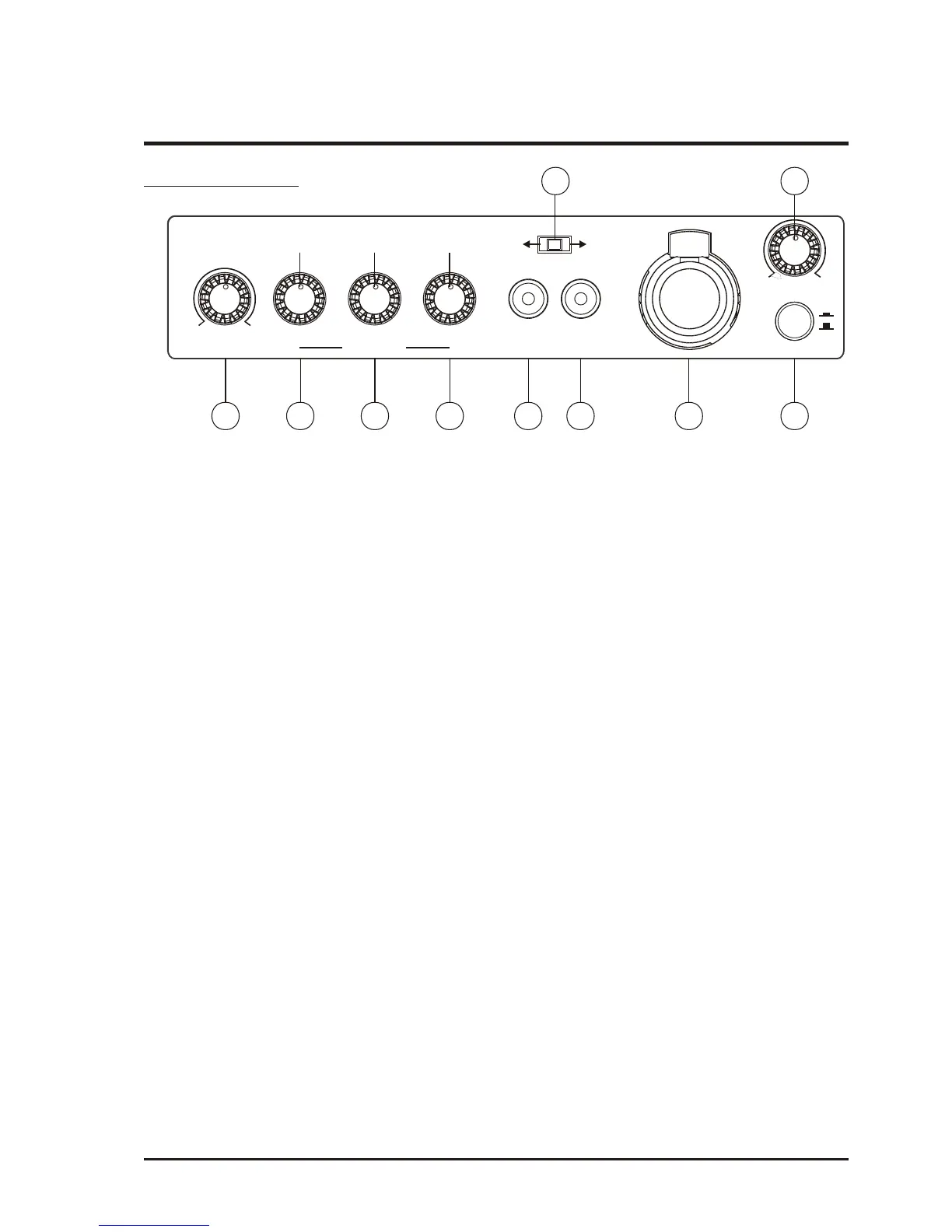
Control Panel
(Fig.3)
(A1) Tone Control : Turn counterclockwise to increase bass or turn clockwise to
increase treble. Set at 12 o'clock for a flat response.
(A2) Master Volume Control : Simultaneously adjusts the volume of all mixed audio
inputs.
(A3) LINE IN Volume Control: Controls the volume of the Line Socket (A6).
(A4) Mic In Volume Control : Control the volume of the wired microphone (A7).
(A5) Line Out Socket : Stereo line level audio output.
(A6) Line In Socket : Allows you use an external device with an unbalanced audio
output as an input to the MA-808.
(A7) Wired Microphone Input Socket (XLR Balanced/Phone Jack Unbalanced) : Allows
you to connect a wired microphone with either a balanced XLR or unbalanced
phone jack connector.
(A8) Passive Extension Speaker Switch: Push On or Off for sound output of passive
extension speaker.
(A9) VOICE PRIORITY Switch: Voice over music Priority Function.
(A10)ECHO Control: Adjust for desired ECHO effects .
WIRELESS AMPLIFIER
ON
MASTER LINE MIC
OFF
TONE VOLUME LINE INLINE OUT
MIC IN
ECHO
EXT.SP. SW.
ON
OFF
MAXOFF MAXOFF
HIGHLOW
A1 A2 A3 A4 A5 A6 A7
A9
A8
A10
VOICE PRIORITY



 To Next Page