5-28 Mx100/200 Series Operation Manual
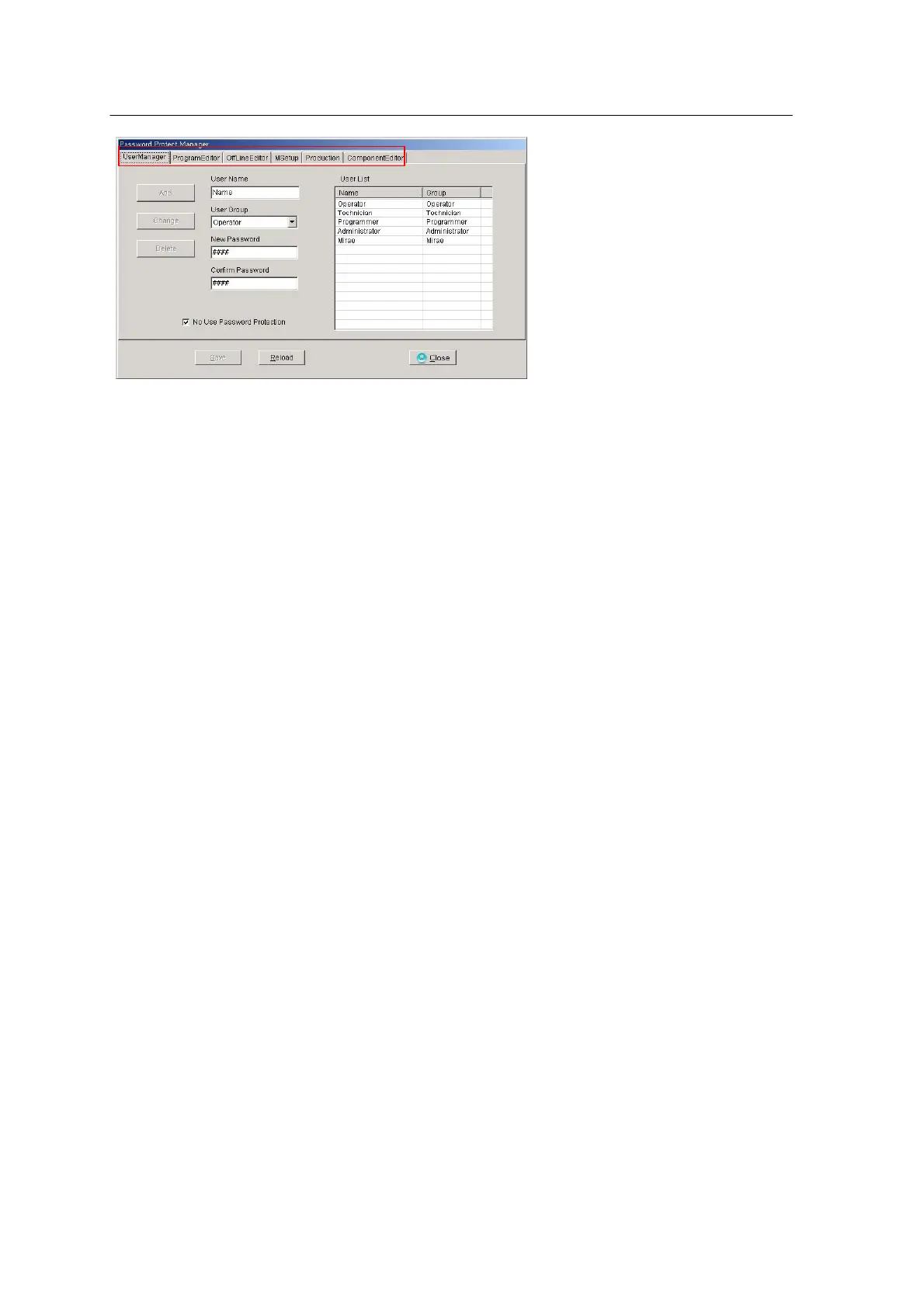
The Password Protect Manager window provides 6 tabs. The User Manager tab is used to set use
of Password Protection and to register user and authority. The default users registered upon
delivery of the product are shown in the User List box on the right.
• User Registration
Enter user name, user group and password in the User Name, User Group, New Password and
Confirm Password fields. When the Add button is enabled, the press the button to register the user.
Then, the new user will be added to the User List on the right. User groups are categorized into 5
levels of Operator, Technician, Programmer, Administrator and Mirae depending on user authority.
• Change/Delete User
Select a desired user from the User List on the right. Then, user name, user group and password
will be displayed in User Name, User Group and New Password fields respectively. Change user
information as required and press the Change button. Press the Delete button to delete a
registered user.
• No Use Password Protection
Check the ‘No Use Password Protection’ box not to apply password protection. This option does
not affect the users or protection for each menu registered currently but clears the restricted
functions of SMT Application.
• Application Protection
ProgramEditor, OfflineEditor, Msetup, Production and ComponentEditor tabs are used to permit
or deny each Application menu with user authority.
The figure bellow shows the menu functions of the program editor.



 To Next Page