Chapter 6 Programming 6-15
The following describes a process to directly create a program without using CAD
Conversion.
Where CAD Conversion is applied, go to the next section, Editing PWB Configuration
Information.
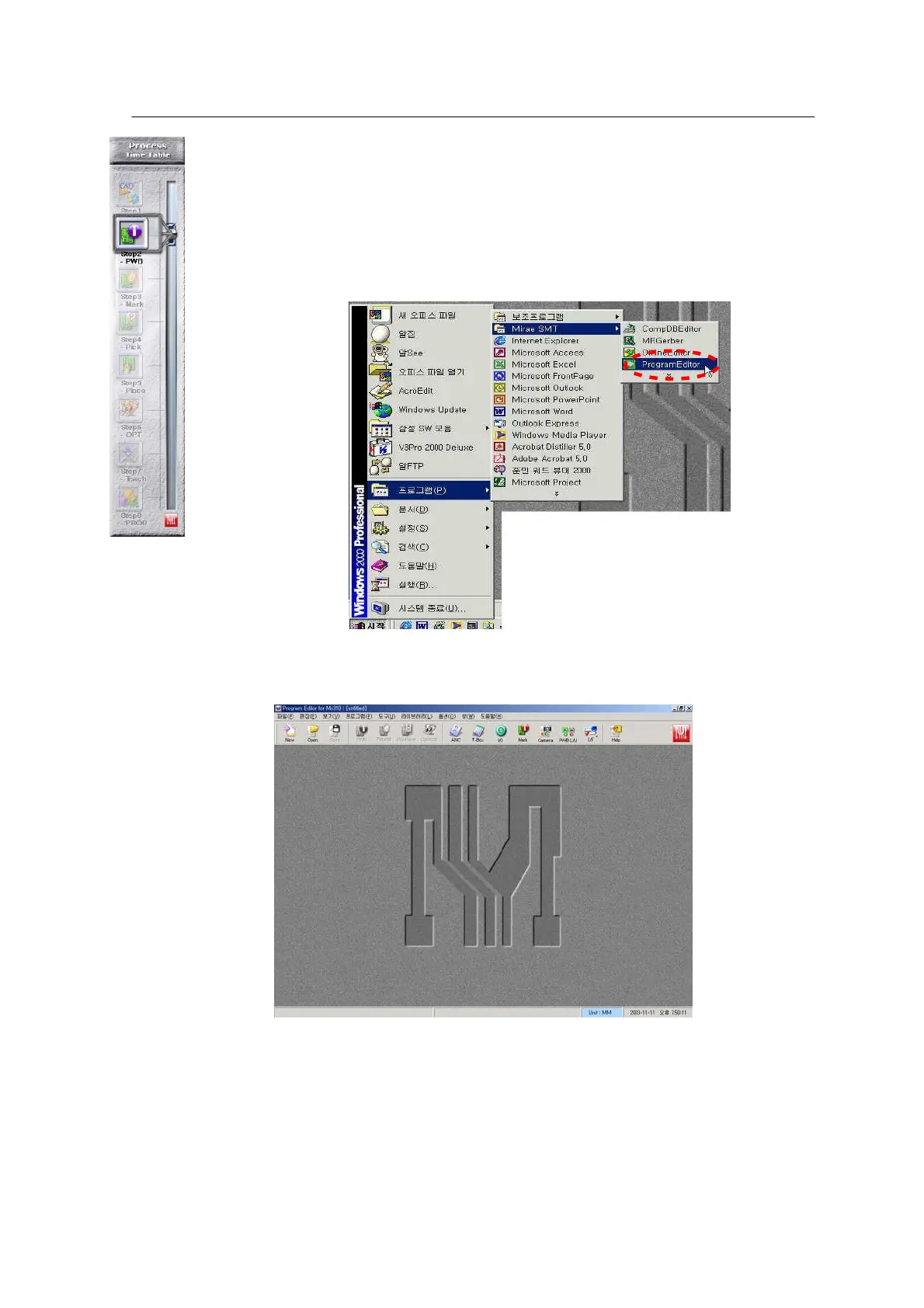
Press the start
button at the left
bottom on the
Windows
background
screen and
select
Program\Mirae
SMT\ Program
Editor.
6-12 가 .Run the
<Figure
ProgramEditor
program >
The main window of the Program Editor is shown below. Choose the New icon at the top left
in the window.
<Figure 6-13 가 ProgramEditor main window >



 To Next Page