EasyManua.ls Logo

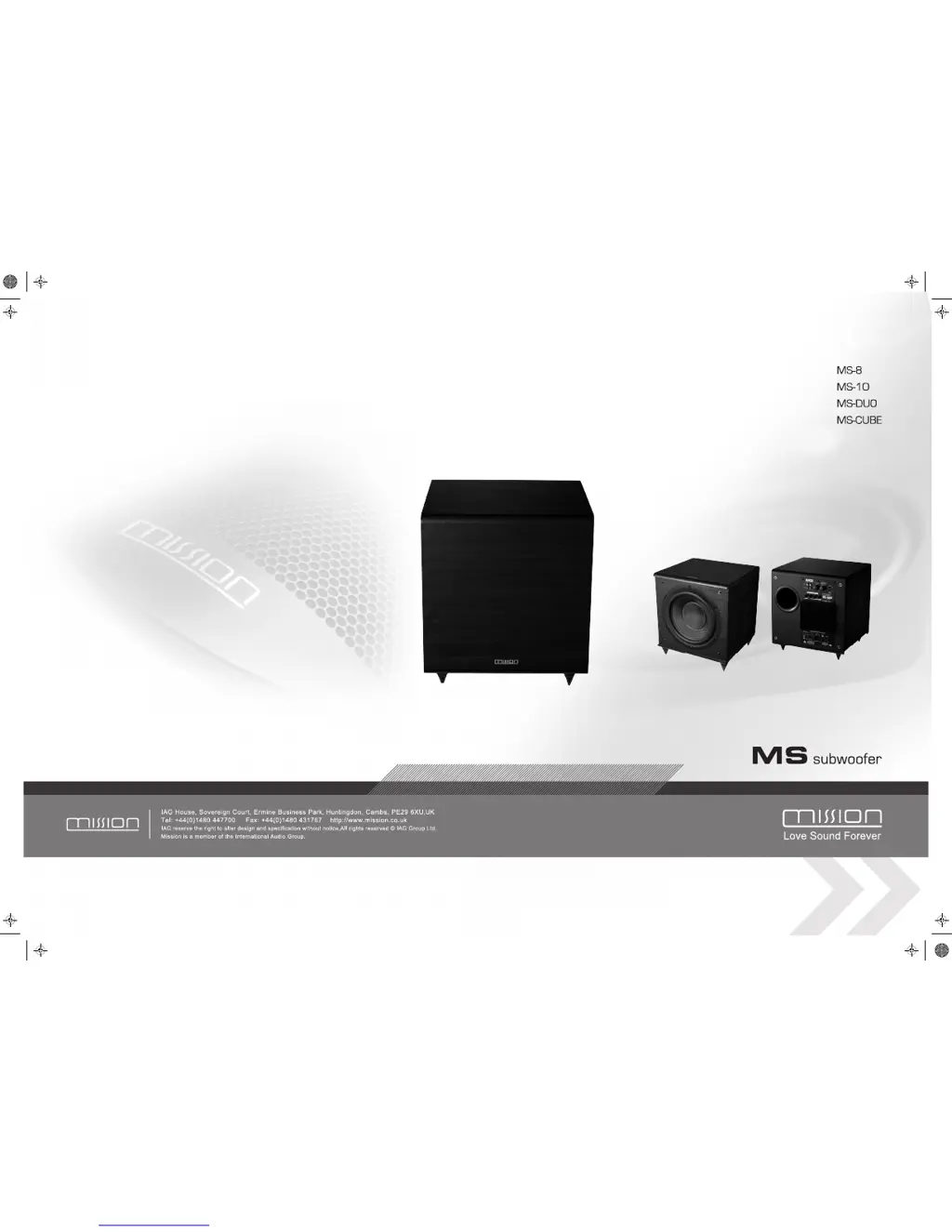
Mission MS-8 - User Manual

Mission MS-8
8 pages
Print Icon
To Next Page IconTo Next Page
Loading...
Ms subwoofer_A3.pdf 2008-10-14 15:13:45

Questions and Answers

  • V
    Valerie CampbellJul 29, 2025
    What to do if my Mission MS-8 makes distorted sounds at high levels?
    • R
      Robert BishopJul 30, 2025
      If your Mission Subwoofer produces distorted or rattling sounds at high levels, it could be due to several reasons. First, the system level might be too high, so try lowering it. Second, check for any objects placed on the subwoofer and remove them. Finally, ensure that objects are not too close to the subwoofer; if they are, move them away.
  • K
    Karen LewisAug 3, 2025
    How to fix a Mission Subwoofer with no sound?
    • M
      mollyunderwoodAug 3, 2025
      If your Mission Subwoofer isn't producing any sound, there are a few things to check. First, make sure the system is switched on. Second, examine the speaker cables for any shorts. Finally, ensure that the correct source is selected.
  • M
    Michael BrownAug 7, 2025
    Why does my Mission MS-8 have excessive bass at high levels?
    • A
      acrawfordAug 7, 2025
      If you are experiencing excessive or distorted bass from your Mission Subwoofer at high levels, there are a few potential causes. You may need to lower the system level. Another cause might be that the bass control is set too high, so reduce it. Also, the subwoofer might be too close to room corners; try moving it away from the corners.
  • K
    Kayla AndradeAug 11, 2025
    Why does my Mission MS-8 sound lack bass content?
    • B
      Breanna WangAug 11, 2025
      If your Mission Subwoofer's sound lacks bass content, there are a few possible reasons. First, check if the subwoofer is switched on and turn it on if it isn't. Second, the subwoofer phase might be incorrect, so adjust it. Finally, the subwoofer crossover control might be too low, so increase it.
  • D
    Dennis AllenAug 15, 2025
    What to do if my Mission Subwoofer is popping?
    • J
      Jessica SmithAug 16, 2025
      If your Mission Subwoofer is producing popping or thumping sounds, it could be due to several reasons. The system level might be set too high, so lower it. Alternatively, the subwoofer level might be too high, so reduce it. Also, the LFE level could be too high; reduce that as well.
  • R
    rchristianAug 20, 2025
    Why does my Mission MS-8 have excessive bass distortion at low volumes?
    • K
      Kelly SmithAug 20, 2025
      If you are experiencing excessive bass distortion at low volumes with your Mission Subwoofer, there are a few potential causes. The subwoofer level might be set too high, so try lowering it. Also, the LFE level could be too high; in that case, reduce the LFE level. Finally, check the wiring of the subwoofer to ensure it is correctly wired.
  • C
    Cynthia BrownAug 25, 2025
    What to do if Mission MS-8 is distorting television picture color?
    • M
      monicaatkinsAug 25, 2025
      If the color on your television picture is distorted, it might be because the Mission Subwoofer is too close to the TV. Move the subwoofer away from the TV, wait 15 minutes, and then switch the TV on.

Summary

Important Safety Instructions

General Safety Warnings

Key safety precautions to reduce the risk of fire or electric shock, including warnings about rain, heat, and ventilation.

Warranty Conditions

Specifications

Note for UK Customers

Details regarding power cord fuses and wiring colour codes for UK customers.

Welcome to Mission

General Information

Important instructions to read before installing loudspeakers for optimal performance and safety.

Unpacking Your Loudspeakers

Instructions on how to carefully unpack loudspeakers and retain packing materials for future use.

Fitting Spikes

Guidance on safely attaching and adjusting spikes to the loudspeakers for stability and optimal positioning.

The Mission MS-DUO Powered Subwoofer

NUMERICAL KEY

Identifies the numbered controls and connectors on the MS-DUO subwoofer front and rear panels.

Preliminaries

Instructions for unpacking, handling, and retaining packing materials for the MS-DUO subwoofer.

Power Connections

Guidance on connecting the MS-DUO subwoofer to the mains supply, checking voltage compatibility.

Troubleshooting

Loudspeaker Maintenance

Advice on cleaning and maintaining Mission loudspeakers to prevent damage and ensure longevity.

Product Service

Information on how to obtain service for your subwoofer, including authorised service centres.

Stereo Reproduction

Low Pass Filter Settings

Guidance on setting the subwoofer crossover point based on main speaker size for optimal bass extension.

Low-level Listening

Advice on retaining bass information at low listening levels where bass frequencies can attenuate faster.

Testing the system

Procedure for testing the subwoofer setup by adjusting settings to achieve optimal bass response and clarity.

Changing the MS-DUO Operating Mode from Front-Firing to Down-Firing

Which mode should I use?

Comparison of front-firing and down-firing modes, offering advice on choosing the best mode for your setup.

The Mission MS-10 Powered Subwoofer

NUMERICAL KEY

Identifies the numbered controls and connectors on the MS-10 subwoofer front and rear panels.

Preliminaries

Instructions for unpacking, handling, and retaining packing materials for the MS-10 subwoofer.

Attaching Spikes

Guidance on attaching and adjusting spikes for the MS-10 subwoofer to ensure stability and level positioning.

Power Connections

Instructions for connecting the MS-10 subwoofer to the mains supply and checking voltage compatibility.

Setting Up your Subwoofer - All Models

Fine Tuning Your Subwoofer

Steps for adjusting volume, phase, and crossover filter for optimal subwoofer performance with main speakers.

Subwoofer Settings for Front Loudspeakers

Recommendations for setting 'large'/'small' speaker sizes and crossover frequencies for different loudspeaker types.

Setting Levels

Guidance on adjusting AV processor and subwoofer levels for balanced sound and avoiding distortion during playback.

Connecting the MS-10 Subwoofer

A;V Processor Connections

Connecting the subwoofer to an AV processor using LFE or line level subwoofer outputs.

Stereo Line Output Connections

Connecting the subwoofer to an amplifier's stereo line output or pre-amplifier output.

Pre Out - Main In Connections

Connecting the subwoofer to a stereo amplifier using pre-out and main-in connections with Y adaptors.

Speaker Level Connections

Connecting the subwoofer using high-level speaker connections when no line-level output is available.

The Mission MS-8 and MS-CUBE Powered Subwoofers

NUMERICAL KEY

Identifies controls and connectors on the MS-8 and MS-CUBE subwoofer panels.

Preliminaries

Instructions for unpacking, handling, and retaining packing materials for the MS-8 and MS-CUBE.

Attaching Spikes

Instructions for fitting spikes to the MS-CUBE, referencing the MS-10 guide.

Power Connections

Guidance on connecting the MS-8 and MS-CUBE to the mains supply, checking voltage compatibility.

Positioning your Subwoofer

Connecting the MS-8, MS-CUBE and MS-DUO

A;V Processor Connections

Connecting the subwoofer to an AV processor using LFE or line level subwoofer outputs.

Stereo Line Output Connections

Connecting the subwoofer to an amplifier's stereo line output or pre-amplifier output.

Pre Out - Main In Connections

Connecting the subwoofer to a stereo amplifier using pre-out and main-in connections with Y adaptors.

Speaker Level Connections

Connecting the subwoofer using high-level speaker connections when no line-level output is available.

Mission MS-8 Specifications

General IconGeneral
BrandMission
ModelMS-8
CategorySubwoofer
LanguageEnglish

Related product manuals