5
Using the Battery
Installing and Removing the Battery
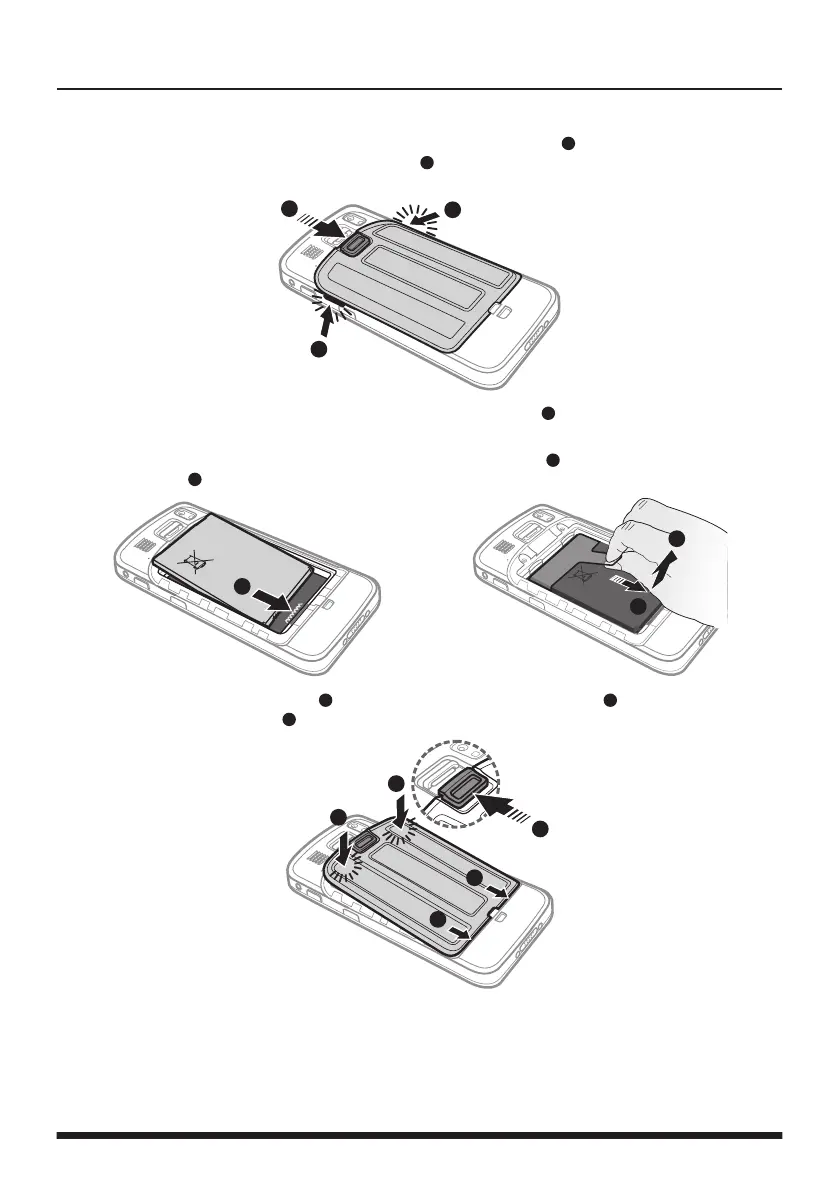
1. Slide the battery cover latch downward to unlock the battery cover (
1
). Using the small opening
(beside the power button) as the release point (
2
), pry the cover open along the side, and then
remove the cover.
2
2
1
2. With the label side facing up, match the battery's contact points (
1
), insert the battery at an angle,
and then t it into the compartment.
To remove the battery, pull the plastic tab at an angle downward (
2
) and lift the battery out of the
compartment (
3
).
4
3
1
3. Place the battery cover back on (
1
), lightly press the edges of the cover (
2
), and then slide the
battery cover latch upward (
3
) to lock the battery cover.
1
1
2
2
3


 To Next Page