
 Need help?
Do you have a question about the Mitel IP480G and is the answer not in the manual?
Describes visual voicemail access via phone interface, allowing message details and playback in any order using soft keys.
Explains accessing the Mitel voicemail system via dialing in, navigating through audio prompts.
Details on accessing voicemail inbox, scrolling messages, and listening via handset, headset, or speakerphone.
Instructions for replying to voicemail messages, including options to reply to sender, reply all, or add recipients.
Steps to log into the voicemail system from another IP or analog phone extension within the system.
Procedure for accessing the voicemail system from an external phone, requiring an access number and extension.
Guide to recording and managing your spoken name within the voicemail system's mailbox options.
Instructions for recording a personalized greeting for different availability states, with options to accept, review, or re-record.
Lists available options after listening to a voicemail message, such as replying, calling, forwarding, or deleting.
Details shortcut key commands for common actions like rewinding, pausing, fast-forwarding, and checking envelope information.
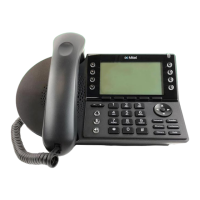
The Mitel IP480g/485g Voicemail system is designed to provide users with efficient and flexible ways to manage their voice messages, primarily through the Mitel 400 series SIP-based IP phones (IP480g and IP485g models). These phones are characterized by their superior sound quality on both handset and speakerphone, multiple line appearances, ergonomic design, easy-to-read display, and convenient access to features like voicemail, directories, and conferencing. The voicemail system offers two main methods for message management: Visual Voicemail and a traditional audio-prompt-based system.
The core function of the Mitel IP480g/485g Voicemail is to store and allow retrieval of voice messages. When new messages arrive, a blinking red light on the upper right corner of the phone and a voicemail icon on the display screen alert the user. The system facilitates listening to, replying to, forwarding, saving, and deleting messages. It also allows for personalization of greetings and names.
Visual voicemail provides an intuitive interface on the phone's display, allowing users to interact with messages without relying solely on audio prompts. This method displays key information at a glance, including the sender's name and phone number, and the date or time the message was left. Unheard messages are typically displayed in black text, while listened messages appear in gray. Users can customize the display order to show either the most recent or oldest messages first.
This system is navigated by dialing into the voicemail system and following audio prompts. A steadily flashing red light indicates unheard messages.
Logging In:
Listening to, Replaying, Saving, and Deleting Messages:
Forwarding a Message:
Replying to a Message:
Menu of Message Options (after listening):
Shortcut Keys (during listening):
The Mitel IP480g/485g Voicemail system provides a comprehensive and user-friendly experience for managing voice communications, catering to both visual and traditional audio-based preferences.
 General
| Model | IP480G |
|---|---|
| Voicemail | Yes |
| Power over Ethernet (PoE) | Yes |
| Headset Port | Yes |
| Speakerphone | Yes |
| Type | IP Phone |
| Display | Graphical LCD |
| Ethernet Ports | 2 |

 To Next Page

