Function and Operation
Function and Operation
■
Receiving
When radios receive any signal, the LED indicator will turn green. You
can hear the call if the tone is correct.
Note: If the transceiver is set to a higher squelch level, it may fail to
hear the call. If the LED indicator turns green but you cannot hear the
call, it means the signal has a matching carrier but does not have a
matching CTCSS/DCS code.
■
Transmitting
Hold【PTT】or 【Sub-PTT】to start transmitting. Please hold the
Scan Function
Turn the channel selector knob fully clockwise to reach channel 16.
The radio will then begin to scan. When a busy channel is found,
the radio will remain in scan mode for 5 seconds after the transmit-
ion has ended. To end the scan, rotate the channel selector to any
channel between 1 and 15.
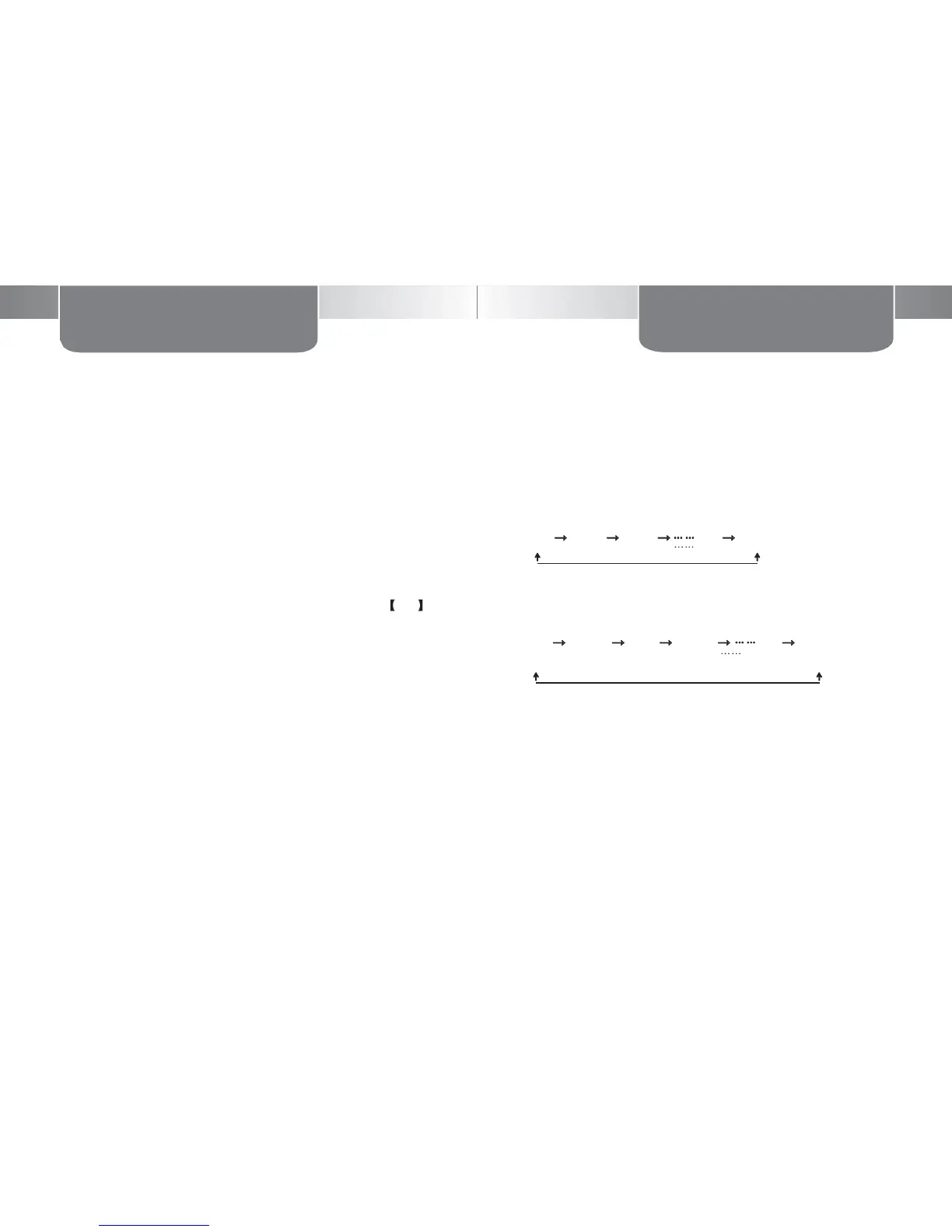
There are two kinds of scan modes: ordinary scan and priority scan
(a programmable setting)
1. Ordinary scan
microphone approximately 2.5~5.0cm from your mouth, and then
speak into the microphone in your normal voice.
CH1 → CH2 → CH3 →
→ CH16
Note: The LED indicator will turn red when transmitting, release PTT to
standby or receive calls.
2. Priority scan: provided that priority scan channel is set to Channel
3, the scan sequence is as follows:
■
TDR(Dual Standby)
CH1 → CH3 → CH2 → CH3 → → CH16
■
CTCSS/DCS
Allows the user to select a specific CTCSS/DCS code per channel
– set by Mitex
Set by Mitex


 To Next Page