
 Need help?
Do you have a question about the Mitsubishi Electric E1022 and is the answer not in the manual?
Equipment suitability for hazardous and non-hazardous locations.
General safety guidelines and precautions for operator panel use.
Conditions and steps for safe operator panel installation.
Guidelines for safe and proper operation of the operator panel.
Procedures and precautions for maintenance and servicing.
Guidelines for safe dismantling and recycling of the operator panel.
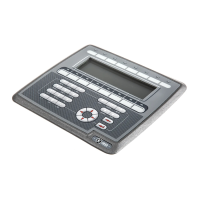
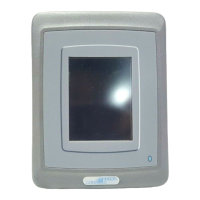
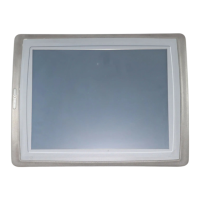
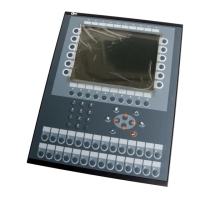
Overview of E1000 operator panels and their models.
General procedures and precautions for maintaining the operator panel.
Guidelines for service and repair by authorized personnel.
Overview of hardware testing and approval processes.
Manufacturer's testing procedures for operator panel hardware.
Detailed technical specifications for E1000 operator panels.
Details on certifications and enclosure ratings for operator panels.
Features and capabilities of various E1000 operator panel models.
Instructions for replacing hardware components in operator panels.
Explanation of mode switch functions and settings.
Procedures for replacing the operator panel's display or display cable.
Procedures for replacing the operator panel's battery.
Key options and functions available within the operator panel's service menu.
Configuration options for network settings in the service menu.
Procedure to run the hardware self-test program on the operator panel.
Recommendations for improving installation and communication.
Proper grounding techniques for the operator panel.
Safety precautions related to power supply connections and wiring.
Overview of operator panel software and its development and testing.
Procedures for updating operator panel software components.
Information and update procedures for the E-Designer 7 configuration software.
Guide to using the Image Loader for firmware upgrades.
Methods for updating the operator panel's system program.
Manufacturer's environmental policies and compliance with international standards.
Assessment of environmental impact from panel components and materials.
Environmental evaluation of mechanical parts and materials used in panels.
Environmental considerations for electronic components and displays.
Guidelines for recycling operator panels and their components.
 General
| Series | E1000 |
|---|---|
| Touchscreen | Resistive |
| Supply Voltage | 24 VDC |
| Operating Temperature | 0 to 50°C |
| Storage Temperature | -20 to 60°C |
| Display Size | 10.4 inches |
| Resolution | 640 x 480 pixels |
| Communication Interface | RS-232, RS-422, RS-485 |
| Weight | 2.5 kg |
| Protection Rating | IP65 (front panel) |
| Input Voltage | 24V DC ±10% |


 To Next Page
