EasyManua.ls Logo

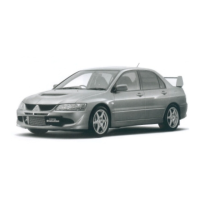
Mitsubishi MOTORS LANCER EVOLUTION - User Manual

Mitsubishi MOTORS LANCER EVOLUTION
330 pages
Print Icon
To Next Page IconTo Next Page
Loading...
LANCER EVOLUTION
OWNER’S MANUAL
LANCER EVOLUTION - ENGLISH - OCZE14E3

Table of Contents

Questions and Answers

  • T
    thompsonbrittneyAug 19, 2025
    What to do if I get a HEAT ERROR on my Mitsubishi MOTORS Automobile?
    • H
      Heather WatsonAug 19, 2025
      If you encounter a 'HEAT ERROR' in your Mitsubishi MOTORS Automobile, it means the temperature inside the product is too high. To resolve this, remove the disc and wait for the internal temperature to return to normal.
  • S
    sarroyoAug 21, 2025
    How to fix a CHECK DISC error in my Mitsubishi MOTORS Automobile?
    • O
      ohallAug 21, 2025
      If your Mitsubishi MOTORS Automobile shows 'CHECK DISC', this could be because the disc is inserted upside down or has condensation. Ensure the disc is inserted with the label side up. If condensation is the issue, wait a while before reinserting the disc.
  • K
    Kristen PerkinsAug 23, 2025
    Why is there no sound in my Mitsubishi MOTORS Automobile?
    • J
      Joseph LucasAug 23, 2025
      If there is no sound or the sound is quiet in your Mitsubishi MOTORS Automobile, it could be due to the volume being set to minimum, or the balance/fader is adjusted to one side. Try adjusting the volume, balance, or fader to correct this.
  • J
    Jake RoyAug 26, 2025
    What does ERROR DC mean on my Mitsubishi MOTORS Automobile?
    • Z
      zacharyjonesAug 26, 2025
      If your Mitsubishi MOTORS Automobile displays 'ERROR DC', it means an abnormal direct voltage has been sent to the speakers. Turn the power OFF and wait a short while. If the problem persists, consult a MITSUBISHI MOTORS Authorized Service Point.
  • J
    Jessica FitzpatrickAug 28, 2025
    Why can't I play a disc in my Mitsubishi MOTORS Automobile?
    • E
      Eddie GarciaAug 28, 2025
      If the disc cannot be played in your Mitsubishi MOTORS Automobile, make sure the disc is inserted correctly with the label side up. If condensation is present, wait before inserting the disc. If the disc is dirty, clean the read surface.
  • J
    John OconnorAug 30, 2025
    What does INTERNAL E mean on my Mitsubishi MOTORS Automobile?
    • J
      James MitchellAug 30, 2025
      If your Mitsubishi MOTORS Automobile displays 'INTERNAL E', it indicates the drive has malfunctioned. Check the disc and reinsert it. If the problem continues, consult a MITSUBISHI MOTORS Authorized Service Point.
  • M
    Matthew McphersonSep 1, 2025
    Why does the sound skip in my Mitsubishi MOTORS Automobile?
    • L
      lestephanieSep 1, 2025
      If the sound skips in the same place on your Mitsubishi MOTORS Automobile, it is likely that the disc is damaged or dirty. Check the condition of the disc.
  • T
    thomashatfieldSep 4, 2025
    What does USB BUS PWR mean on my Mitsubishi MOTORS Automobile?
    • M
      Michael MosesSep 4, 2025
      If your Mitsubishi MOTORS Automobile displays 'USB BUS PWR', this indicates there is high or low electrical current or voltage. Turn the power OFF and wait a short while. If the problem persists, consult a MITSUBISHI MOTORS Authorized Service Point.
  • E
    ezimmermanSep 6, 2025
    Why is there no sound in my Mitsubishi MOTORS Automobile even with a disc?
    • R
      Rebecca MarshSep 6, 2025
      If there is no sound even when a disc is inserted in your Mitsubishi MOTORS Automobile, the disc's data may not be readable due to damage or dirt. Check the disc. Also, CD-R/RW discs might not be playable due to their characteristics.
  • E
    Eric BeckSep 8, 2025
    Why can't I insert a disc into my Mitsubishi MOTORS Automobile?
    • J
      Johnny LangSep 8, 2025
      If the disc cannot be inserted into your Mitsubishi MOTORS Automobile, it might be because a disc is already inside. Eject the disc. If there is no disc inside, but the system indicates it's loading, press the eject button once.

Summary

Foreword

Information for station service

Instruments and Controls (Driver’s area)

Multi-information meter switch

Operates the multi-information display for warnings, service reminders, and other vehicle data.

Cruise control switches

Explains the operation of switches for setting and adjusting vehicle speed.

Ignition switch

Explains the different positions of the ignition switch and their functions.

Supplemental restraint system (SRS) - airbag

Details about driver, passenger, knee, side, and curtain airbags and their operation.

Instruments and Controls (Instrument panel)

Ventilators

How to adjust the air vents for airflow and direction.

Automatic air conditioning

Operation of the automatic air conditioning system and its control panel.

Blower speed selection dial

How to select and adjust the fan speed for the air conditioning.

Centre panel

Hazard warning flasher switch

Operation of the hazard warning lights for emergencies.

Wiper and washer switch

How to operate the windscreen wipers and washers, including auto mode.

Rear window demister switch

Operation of the rear window defogger and its timer function.

Interior

Electric window control switches

Operation of power windows for all doors and the lock switch.

Seat belts

Crucial safety information on wearing seat belts correctly and their features.

Supplemental restraint system - side airbag (for front seats)

Details about side airbags and their deployment conditions.

Head restraints

Explains how to adjust, remove, and install head restraints.

Trunk area (Except for vehicle with spare wheel)

Tools

Details the location and use of tools for tyre changes and emergencies.

Jack

Instructions on how to use the vehicle's jack for lifting.

Tyre repair kit

How to use the tyre repair kit for emergency puncture repair.

Outside (Front)

Windscreen wipers and washer

How to operate the windscreen wipers and washers, including auto mode.

Headlamps, high;low beam

Explains operation of headlamps, including high/low beam and auto function.

Bonnet

How to open and close the vehicle's bonnet safely.

Outside (Rear)

Rear-view camera*

How to use the rear-view camera system for parking assistance.

Tyre inflation pressures

Recommended tyre pressures for various load and speed conditions.

Tail and stop lamps

How to replace tail and stop lamp bulbs.

Rear fog lamp

How to replace rear fog lamp bulbs.

General information

Fuel selection

Guidance on selecting the correct unleaded petrol octane number for the engine.

Filling the fuel tank

Safety precautions and steps for filling the fuel tank.

Installation of accessories

Recommendations and cautions for installing accessories and modifications.

Used engine oils safety instructions and disposal information

Safety guidelines and proper disposal methods for used engine oils.

Locking and unlocking

Keys

Describes the vehicle's keys, including keyless entry and key number tags.

Electronic immobilizer (Anti-theft starting system)

Explains the system to reduce vehicle theft and immobilize the engine if an invalid start is attempted.

Keyless entry system*

Details operation of remote control switches for unlocking doors and opening the trunk lid.

Doors

Explains how to lock/unlock doors with the key, from inside, and without the key.

Central door locks

Describes how to lock/unlock all doors using the central door lock switch.

Dead Lock System*

Explains the system to prevent unlocking doors with inside knobs after keyless locking.

Trunk lid

Instructions on how to open and close the trunk lid using various methods.

Security alarm system (except for vehicles for Israel)

Details the system for alerting suspicious behavior and preventing unlawful entry.

Seat and seat belts

Seat adjustment

Guidance on adjusting the driver's seat for comfort and reach to controls.

Head restraints (Rear seat only)

Explains how to adjust, remove, and install rear head restraints.

Seat belts

Crucial safety information on wearing seat belts correctly and their features.

Supplemental restraint system (SRS) - airbag

Details about driver, passenger, knee, side, and curtain airbags and their operation.

Instruments and controls

Instruments

Description of the tachometer, speedometer, and other indicators in the instrument cluster.

Multi-information display

Explains the various information screens available on the display.

Indication lamp, warning lamp, and information screen display list

A comprehensive list of all indicator and warning lamps with their meanings and page references.

Warning display list (when the ignition switch is “OFF”)

Details warning displays shown when the ignition switch is OFF, their causes, and solutions.

Warning display list (when the ignition switch is “ON”)

Details warning displays shown when the ignition switch is ON, their causes, and solutions.

Starting and driving

Economical driving

Tips for fuel-efficient driving and minimizing wear.

Safe driving techniques

Essential advice for safe driving, including seat belts and floor mat placement.

Running-in recommendations

Precautions for the initial period of vehicle use to ensure performance and economy.

Parking brake

Instructions on how to apply and release the parking brake and related warnings.

Parking

Procedures for parking the vehicle, including on slopes and engine running precautions.

Steering wheel height adjustment

How to adjust the steering wheel height and tilt.

Outside rear-view mirrors

Instructions on adjusting and retracting/extending the outside mirrors.

Ignition switch

Explains the different positions of the ignition switch and their functions.

Starting and stopping the engine

Detailed steps for starting and stopping the engine, including troubleshooting.

Twin Clutch SST (Sport Shift Transmission)*

Overview of the Twin Clutch SST transmission and its operation.

S-AWC (Super-All Wheel Control)

Explanation of the S-AWC system and its functions in vehicle dynamics.

Anti-lock brake system (ABS)

Details on how the ABS works and its warning indicators.

Active stability control (ASC)

Explanation of the ASC system and its functions for maintaining control.

Braking

Information on the brake system, including brake assist and precautions.

Power steering system

How the power steering system works and precautions.

Cruise control*

Explanation of the cruise control system, its operation, and limitations.

For pleasant driving

Automatic air conditioning

Operation of the automatic air conditioning system and its control panel.

Important operation tips for the air conditioning

Advice for efficient and proper use of the air conditioning system.

LW;MW;FM radio;CD player*

How to use the audio system for radio and CD playback.

Audio Files (MP3;WMA;AAC)

Supported audio file formats and playback requirements.

Listen to an iPod

Instructions on connecting and playing music from an iPod/iPhone.

Listen to Audio Files on a USB Device

How to connect and play audio files from a USB device.

Listen to Bluetooth Audio*

Instructions for playing audio via Bluetooth connection.

Bluetooth 2.0 interface*

Overview of the Bluetooth interface, hands-free calls, and voice recognition.

Connecting the Bluetooth 2.0 interface and Bluetooth device

Step-by-step guide for pairing Bluetooth devices.

For emergencies

If the vehicle breaks down

What to do if the vehicle breaks down on the road.

Emergency starting

Instructions for jump-starting the engine using jumper cables.

Engine overheating

What to do if the engine overheats, including identifying steam and fan operation.

Tools, jack and tyre repair kit

Location and description of tools for tyre changes and repairs.

How to change a tyre

Step-by-step guide for changing a flat tyre.

Towing

Recommendations and cautions for towing the vehicle.

Operation under adverse driving conditions

Advice for driving in adverse conditions like flooded roads, snow, or bumpy surfaces.

Vehicle care

Vehicle care precautions

General advice for maintaining vehicle value and following procedures.

Cleaning the interior of your vehicle

How to clean the vehicle's interior, including upholstery and plastic parts.

Cleaning the exterior of your vehicle

Guidance on washing and waxing the vehicle's exterior to protect the paint.

Maintenance

Service precautions

General advice for vehicle maintenance and safety in the engine compartment.

Bonnet

How to open, close, and support the vehicle's bonnet.

Engine oil

How to check and refill engine oil, including recommended types and intervals.

Engine coolant

How to check and add engine coolant, with warnings about hot coolant.

Brake fluid;Clutch fluid*

How to check brake and clutch fluid levels and fluid type recommendations.

Tyres

Information on tyre condition, wear, and inflation pressure.

Tyre inflation pressures

Table of recommended tyre pressures for normal and high-speed driving.

Tyre rotation

Importance and method of rotating tyres to equalize wear.

Fuses

Location and replacement of fuses in the passenger compartment and engine compartment.

Fuse load capacity

Table of fuse capacities for electrical systems and their locations.

Fuse replacement

Step-by-step instructions for replacing a blown fuse.

Replacement of lamp bulbs

How to replace various exterior and interior lamp bulbs.

Specifications

Vehicle labeling

Information on vehicle identification number and information code plate.

Vehicle dimensions

Key dimensions of the vehicle, including track, width, wheelbase, and turning radius.

Engine specifications

Details of the engine model, displacement, bore, stroke, and output.

Electrical system

Specifications for the vehicle's electrical system, battery, and alternator.

Tyres and wheels

Specifications for tyres and wheels, including size and offset.

Fuel consumption

Fuel consumption data for combined, urban, and extra-urban conditions.

Refill capacities

Quantities of various fluids and lubricants required for the vehicle.

Mitsubishi MOTORS LANCER EVOLUTION Specifications

General IconGeneral
BrandMitsubishi MOTORS
ModelLANCER EVOLUTION
CategoryAutomobile
LanguageEnglish

Related product manuals